
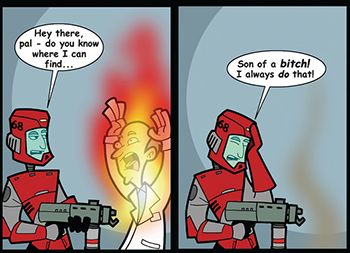
There are many, many Video Games out there. With so many video games, it stands to reason that most will be somewhat similar, and have similar control schemes.
But there's no guarantee that a developer will use what's usual, and might do something very different instead. And maybe this difference is what completely throws you off your game. This can lead to problems when playing one game for a while, then switching to another—especially if they are in the same or a similar genre.
Any game where you can change the control scheme will obviously avoid this by default, though the effectiveness depends on how far the game will let you remap its controls. PC games generally let the user reassign the controls, so this is very much a console problem. Emulators, special controllers, and 3rd-party utilities can function as a workaround of sorts as well. Of course, allowing you to change the control scheme in a game with different characters who need different schemes can lead to this within a single game.
Psychologists call this negative transfer. And, on a neurological note, it's technically not your muscles at fault: Dumb Muscle is just that, an unthinking hunk of contractile, fibrous flesh attached to some bones. The thing that's really to blame is the cerebellum, a knot of tightly-folded tissue at the base of the brain responsible for conditioning of physical responses,note but "cerebellar memory" doesn't roll off the tongue as nicely.
For when this is done intentionally as a game effect, see Interface Screw. This can go beyond gaming, as examples below show. Any control system for a device that can be easily confused for another falls into it. This is why we have Stock Control Settings.
Compare Caps Lock, Num Lock, Missiles Lock, Centipede's Dilemma, and Stumbling in the New Form, contrast Noob Bridge (which occurs when a game's control scheme has an extra aspect that's non-standard) and see also Reflexive Response and Wikipedia Behavior. May result in complaints of They Changed It, Now It Sucks!. May also come into play in a Wax On, Wax Off situation.
Examples:
Real-Life Examples:
- The Toyota Prius has most of the gears on a gearstick attached to the dashboard. "Park", however, is a button. People driving Priuses for the first time may try to shift the gearstick into a "park" position that isn't there.
- Driving Stick compared to auto shift. And one that affects even people who know manual: the transmission can be patterned in various ways, leading one to put on reverse or neutral instead of first. Similarly, somebody who usually drives stick might not know what to do with their left foot when switching to an automatic, and might accidentally press the brake, thinking it's the clutch.
- Waving your hand uselessly over the console, trying to downshift into first gear, every time you come to a stop in an auto trans car after driving a manual for a long time. This can end terribly if you actually do shift it into park, then try to drive when the light turns green. An automatic transmission does not appreciate someone trying to drive in park, and if you're especially unlucky, doing so will ruin it.
- Sequential shifters comes in two flavors: press up to shift up and press down to shift down or press up to shift down and press down to shift up. Motorcycles are almost always the former (racers do the opposite). Cars will zig-zag.
- For those already familiar with driving stick, the different patterns◊ the gears get can confuse when going to another car, specially the rear (top left or bottom right?).
- It was speculated after the 2015 train wreck in Valhalla, NY, USA, that the woman who inexplicably drove her SUV into the path of the oncoming train (leading to her death) did so because she had confused drive and reverse on the column-based shifter of her Mercedes, which she had gotten two months earlier.note
- Even if you can drive stick, it’s recommended you hire an automatic when visiting a country such as the UK where they drive on the left as the shifter will be on the wrong side as the driving and passenger sides are reversed on cars over there.
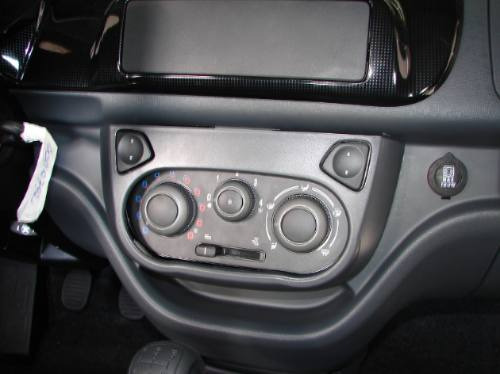
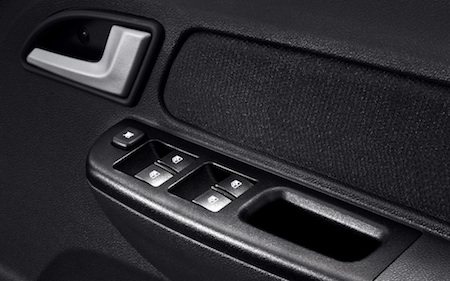
- The car window is opened on the panel◊ or the door?◊
- The fuel door for the gas tank can be on either side of the car depending on make and model, leading to many people driving a new car pulling up to the wrong side of the pump in a gas station. To make matters more frustrating, older cars don't have convenient arrows on the fuel gauge to indicate which side the fuel door is on, either (new ones do have arrows; they're a tiny triangle right next to the little gas pump icon by the gas gauge. Good luck remembering to check, though). If you go old enough, you might just find the fuel door is behind the rear license plate - which means either side will work fine.
- Given power steering requires less force to move, if you're used to a stiffer car the usual effort applied to the steering wheel can lead to really sharp turns. Conversely, going to a car that lacks power steering (or having your power steering fail) can be debilitating to deal with, especially older drivers or those with disabilities.
- Similarly, switching from an older, heavier car to a newer, lighter one can lead to frequently hitting the gas a little too hard when accelerating from a complete stop. Expect to lurch forward quite a few times as you get used to the new sensitivity. Also, the variation in brake sensitivity among vehicles can result in a jolting deceleration.
- Different countries have different rules for which side of the road one drives on, which also determines what side of the car the driver's seat is on. Many countries, including the United States and most of Europe, have you driving on the right side of the road, while some other countries, such as Britain and Japan, have you driving on the left. This can cause problems for people moving from a country that drives on one side of the road to a country that drives on the other side.
- It also affects hand preference; if you are in a country that drives on the left, in a right-hand-drive car, requiring left hands to shift gears and you're right-handed? Good luck, the reverse is also true for left-handed people living in a country that drives on the right and in a left-hand-drive car that requires right hand to shift gears. Zig-zagged, though.
- Generally viewed the opposite way in countries that do drive on the left, where people tend to see it as much more sensible to use your stronger hand to actually control the car while your weaker one does simple gear shifts and less important tasks like the radio and A/C.
- Even if you can mostly handle driving on the other side of the road, the issue comes with resolving how to get somewhere. You might think "if I make a left turn here, I can just pull in!" only to remember the place you're going is on the right side of the road and you're still on the left.
- That stick on the side of the steering column may operate the lights, the windscreen wipers, or even the transmission. If you usually drive a car with one configuration, switching to another will result in wipers when you meant to change gear, finding yourself in neutral when you want to signal a turn, and signaling a turn when you want to clean the windscreen. Even if you regularly drive all three, you will still reach for the wrong one occasionally. In North America, the switch on the left side of the steering column almost always activates the turn signal: upward/clockwise for right turn signal, downward/counterclockwise for left turn signal. Similarly, a steering column-mounted shifting mechanism will almost always be located on the right side of the column, where the windshield wiper on/off switch is located in many vehicles with a center console shifting operation. Going from a car that has a steering-mounted shift to one that has a center-console shift can lead to a Wiper Start for some drivers. While this is a common mistake for drivers, the inverted mistake of an accidental gear change when attempting to turn the wipers on in a steering-mounted shift vehicle is much rarer because virtually all shifting mechanisms now feature one or more safeguards to prevent an unwanted gear change - For example, the brake pedal may need to be depressed in order to change gears.
- Similarly, going from a car that has a console-mounted shift to one that has a steering column shift can lead drivers to grope blindly for the one they're used to. In vehicles with steering column shifting, the windshield wipers are usually operated by a collar knob located on the end of the turn signal lever.
- If you think that's bad, the shift on the Citroën DS was right behind the steering wheel, partially obscuring the instrument panel. This is where the single-spoke on the wheel that was well-known across many other Cirtoën models of the time really came in handy.
- The Audi 5000 suffered a number of accidents involving "sudden unintended acceleration." A major factor was that the brake and accelerator pedals were closer together than on the typical American land yachts of the time, making it easy to press the accelerator instead of the brake.
- The Teletouch pushbutton automatic transmission on the ill-fated Edsel didn't bode well with most drivers due to the shift buttons being located where the horn is traditionally placed, i.e. the steering hub, resulting in drivers ending up shifting gears instead of sounding the horn.
- Front-wheel-drive and rear-wheel-drive vehicles have some very noticeable differences in handling (mainly understeer vs. oversteer), but a mid-engine and especially rear-engine vehicle (as exotic sports cars tend to be) requires the driver to effectively relearn their cornering habits (specifically, braking before the turn instead of in the middle) lest they get a first-hand lesson in things like lift-off oversteer and snap oversteer that result in total loss of control at higher speeds. In other words: do not drive a Pontiac Fiero, Toyota MR2, Porsche 911 or Lancia Stratos like you would a conventional front-engine car, or it will end badly.
- The Chevrolet Corvair's rear-engine and swing-axle suspension, both unusual for North American cars, were the reason for its reputation as a deadly car: drivers treated them like the usual front-engine, spring-suspension cars of the era, to fatal results. A notable casualty was Ernie Kovacs, who was killed when he lost control of his Corvair station wagon during a rainstorm and crashed into a power pole.
- Going from a car with a key switch ignition to a push-button ignition, and vice-versa. You'll end up either trying to stick your keys into a non-existent key switch or looking for a non-existent "push to start" button.

- Vintage Apple keyboards have the odd quirk of putting the tactile bumps on D and K instead of F and J (assuming QWERTY layout) like every other keyboard, screwing up touch-typists trying to get to the home row position purely by feeling the bumps underneath their index fingers.
- One other quirk of old Apple keyboards is that they have an extra key that looks like a left-pointing triangle, usually at the top or upper-right corner. If you're trying to turn your ADB-era Mac on, and you can't find the power button on the Mac itself? It's on your keyboard!
- Switching Keyboards between either France and Belgium (using AZERTY) or Germany, Austria, and Switzerland (using QWERTZ) and most other European countries (using QWERTY) can be a pain since so many keys are still in the same place, just not all of them. Especially frustrating when you're typing your password.
- Switching between variants within those standards can also be complicated due to symbols and accented letters using different keys or key combinations. The above-mentioned countries have their own variant of AZERTY or QWERTZ that differs from the other countries' variants on the same and a lot of QWERTY-using countries have their own variant of it. Canada uses three variants of QWERTY: the standard US layout, the Canadian French layout, and the Canadian Multilingual Standard layout — the latter is the least popular of the three and will more often than not throw off both English and French typists who are more used to the first two.
- Related are the physical differences between ANSI (American) and ISO (European) layouts. The ISO layout has an extra key next to LShift, the Enter/Return key is bigger and takes up the space of the \ key, which on ISO is moved next to the ' key. And then there's Japanese keyboard layouts like on the Sharp X68000 that simply don't transition to Western keyboards at all...
- A milder variant of the example just above exists in virtual keyboards; for example, switching (in Android) between Gboard and Swiftkey or vice versa, as some keys as Enter or Backspace change position and the former has two Shift keys, unlike the latter that has one.
- IBM (now Lenovo) ThinkPad keyboards, as well as the Rapid Access keyboards, have an annoying Back key above the left arrow, and forward key above the right arrow. Imagine: You are playing a game on the Internet and want to hit the left arrow key. You accidentally hit the back key. Damn. Now you have to start all over. Even experienced ThinkPad users get caught out by this one. The way to prevent this is to open the game in a new tab or window.
- Additionally, ThinkPads have Fn before Ctrl, unlike most other Windows laptops that put Fn between Ctrl and the left Windows key. There's more on Fn placement below.
- There have been Compaq keyboards where the left half of the space bar is replaced with an extra backspace key. See this.
- Microsoft has a Sculpt Keyboard with the split spacebar... However, the left half of the spacebar can be programmed into the extra backspace key.
- Some keyboards have a long Backspace key, roughly the size of three regular keys, while some have a short one, the size of ONE regular key.note If you're accustomed to the long key and switch to a keyboard with the small one, prepare to constantly keep writing while you're actually trying to erase.
- Laptops try to keep accentuation and symbols as "secondary commands" so not so many keys have to be put in a supposedly more portable machine. For example, some laptops have the Home/End/PgUp/PgDn keys independent; others (like certain Dell models) have them mapped to the arrows, and only accessible via Fn+arrow, leading to much frustration when switching between laptops. This also sometimes results in common punctuation such as slash and question mark ending up hidden.◊
- Some laptops also invert the Fn toggle. So for instance, to refresh a web page on a browser, instead of F5, you'd press Fn+F5.note Fortunately for the blind community, the Mac's screen reader Voice Over averts this; Command+F5 is Command+F5 whether the function keys are configured for hardware or software functions. For Windows, some makes allow toggling this from the BIOS setup.
- Similarly, sometimes the fn key is a toggle, meaning you can just press it once instead of holding it and pressing the wanted function key. While this works when you want it working consistently for a time, forgetting to toggle it can mean, for example, reloading a page when trying to adjust volume.
- Another laptop issue: The "Fn" key on some laptop keyboards is placed in the lower-left corner of the keyboard, where the Ctrl key, now slightly over to the right, is traditionally located. Generally, investing in a USB keyboard can alleviate this.
- Certain ASUS laptops have the power button as a key on the keyboard, next to Delete. This can be a problem for a new user when they are trying to delete something and has to avoid accidentally powering off their laptop, particularly if they had switched from a keyboard where the Delete key was at the end of the row where the power button now is (as in some other laptops).
- Most mice use a sensor to move the cursor, meaning you move the cursor by moving the mouse around the mouse pad. However, trackball mice have you move the cursor by moving the ball with your thumb. Some of the thumb-operated models (particularly Logitech ones) have a grip resembling a conventional mouse enough that it's easy to accidentally try and slide the whole thing before realizing it's meant to use the trackball on the thumb.
- Trying to use a laptop on the same desk as a desktop computer. You'll instinctively try to use the keyboard, mouse, USB ports, etc., wonder why they're not working, then realize you're manipulating the desktop computer instead of the laptop. Programs have been made that allows you to control both systems with the same keyboard and mouse.
- Even different models of the same brand of laptop/computer will inevitably have changes that range from slightly to drastically different (size is often the biggest factor, as well as keyboard sensitivity). Buying a new laptop after the old one broke will spark quite a bit of readjustment.
- Most public computers (such as those in libraries or internet cafes) have special time limit software installed along with procedures on how to log out. Oftentimes, you are not supposed to use the normal log-out or shut-down options like you would with your own home or work computer (doing so would inconvenience those wanting to use it after you as staff have to restart the computer again).
- UK and US keyboard layouts have some different locations for certain symbols — in particular, @ and " are above 2 and ' respectively in the US keyboard layout, but are the other way around in the UK layout.
- You can see this change happen right before your eyes in Acorn's lineup. The A3010, made in 1992, gives @ from its keyboard's shift+2. Fast-forward just two years to the RISC PC, and they're the other way round.
- The size of a keyboard can make it awkward to use for a while until your muscle memory gets used to it. For example, several of Logitech's gaming keyboards have a column of macro buttons left of the main keyboard area. You may subconsciously place your hands slightly right of where they should be because your brain thinks this column of macro keys are normal keys and it has been using this as an anchor point on where to line up your hands.
- Some keyboard layouts swap the Left CTRL and CAPS LOCK keys. This is used in some programming and other hobbylist niches, as this reduces the amount of motion that your left pinkie needs to make to reach for the CTRL key; Emacs users can attest to what's known as "Emacs pinkie" after extensive use of the conventional "Left CTRL is in the lower-left corner of the keyboard" layout, and similarly this swapped layout can be helpful if your work or hobbies involve extensive use of clipboard commands. To a new user, however, it can happen irritatingly often that they end up non-capitalizing words they meant to capitalize or reach for where the CTRL key normally is only to look like they're Suddenly Shouting For those with programmable keyboards, one can have the best of both worlds by making what is usually CAPS LOCK a "dual function" key, holding it down to trigger CTRL and tapping it to trigger CAPS LOCK, while leaving the dedicated Left CTRL key in its usual spot.
- Keyboard layouts smaller than a tenkeyless tend to move the arrow keys closer to the alphas or place them on a different layer. Switching from a full or TKL keyboard to a compact layout means the user has to get used to the different position of the arrows.
- Speaking of Keyboard layouts, you might expect that typing on a typewriter would be a bit like just a less advanced computer, and you'd be wrong. Aside from the layout of the letters and numbers and the keys taken up by the mechanical function of the typewriter ("enter" is the lever on the side for example), typewriters were not standardized to each other much less modern keyboards. Backspace varies between the different corners, tab and caps lock often switch, and none of the symbols stay in the same place (even the alternates for the numbers). On typewriters that can truly automatically delete a character at the push of a button, both the location and name of that function aren't consistent because "backspace" simply moved the roller one space back on older typewriters. Modern replica typewriters fix some of these issues.
- Apple's first generation of PowerMacs had a floppy drive which (as usual for a Mac) used software commands to eject the disks rather than the physical eject button used on PCs. The designer then placed the computer's power switch below the floppy drive, exactly where the eject button would have been.
- Most keyboards that have media controls (volume, play/pause, etc) generally place them on the upper right side of the keyboard. Some keyboards swap it by moving the controls to the upper left, which can trip up people who are used to the controls being on the right and instinctively reach for it when it's not there.
- The majority of keyboards have their keys raised from the base, which has been the norm for decades. Keyboards also come in either chiclet form (keys are flat, commonly found on laptops) or low profile (found on many gaming keyboards where the keys are at a shorter height for faster actuation). Getting used to one form of keyboard can make switching to another keyboard type a bit tricky to get used to.
- Mechanical switches in keyboards come in a ton of different types that affect how you type. Most mechanical switchers either come in linear form where the key press is smooth and quick or tactile form where there's a bump felt when you hit the actuation point and takes a bit more force to press down. Getting used to tactile and switching to linear can cause some users to make accidental key presses due to how sensitive linear switches are. Likewise, users who are used to linear switches might find tactile switches slower by comparison and feel heavier to type with.

- On the M1911A1, moving the safety down turns it off. On the Beretta 92, the same motion puts the safety on. On the H&K USP, the P8 variant used by the German military puts the safety in the opposite motion to the regular USP. The Walther PP and the superficially similar Makarov PM are in the same boat (down is safe for the Walther and off for the Makarov). Then there's the issues of finding the safety and the bolt releases on various Mausers, Springfields, Lee-Enfields, and Mosin-Nagants...
- ...and the FN Five-seveN, where the safety is above the trigger, and the Walther P99, which does not have one at all.
- The H&K P7 family of pistols use a grip safety located on the front of the grip that doubles as the cocking mechanism, whereas other pistols featuring a grip safety usually place it in the back of the grip.
- Try going from anything but a Glock to a Glock. A Glock has two "triggers" slightly offset (kinda like an Accu-trigger) when you go to shoot: the first trigger you encounter is a trigger safety for the second one, which is the actual trigger that fires the weapon when pulled. Pray it doesn't get caught on a tree branch.
- Going from an AR-15 style mag release (a button on the side of the magazine well) to one like an AK-47 (a lever on the back of the mag well) then to one like on most hunting rifles (in front of the mag well), If you're really used to one platform, but then use a completely different one, then don't be surprised if you reflexively use the motions for the completely wrong gun! Hilarity ensues when the AR guys start looking for their AK's bolt release or pull at the rear trunnion searching for the charging handles. Conversely, hilarity also ensues when the AK guys start looking for their AR's selector switch on the wrong side of the receiver or they grasp around the bottom of the magazine and wonder why they can't get it to release.
- And even when you've got the motions for whatever weapon you carry down pat, if you ever get surprised or startled while not carrying it, expect to find yourself reaching for it anyway as part of your "startle/flinch" response.
- Try some early H&K long guns - most of their weapons based on the G3's action have an AK-like release lever for military models, and then an AR-type release button on civilian ones. For some of them, that's the only significant physical difference between the two. Interestingly, military models actually have both releases, with the AK-like paddle actually being a more easily-reached backup linked to the AR-like button; early civilian versionsnote removed the paddle and relied on the button because the paddle was also intrinsically linked to a part that was modified to preclude placing a full-auto trigger group in the weapon.
- On the flip side, H&K has occasionally designed new guns of theirs specifically to take advantage of muscle memory - the XM8, while otherwise working exactly the same as the G36, uses a fire selector more like that of the M16 it would have replaced in the OICW trials. The UMP was likewise a somewhat more unique action than other weapons based on the G3 (including having an AR-style bolt catch), but kept its side-mounted charging handle simply so that users upgrading to it from the MP5 wouldn't have to relearn how to use it.
- And even when you've got the motions for whatever weapon you carry down pat, if you ever get surprised or startled while not carrying it, expect to find yourself reaching for it anyway as part of your "startle/flinch" response.
- On more modern handguns like the USP or P99, the magazine release is a pair of small tabs at the base of the trigger guard which are, at least for first-time users, incredibly awkward to hit without removing your fingers from a proper shooting position, in return for being easier to use with either hand (since the tabs are on both sides of the trigger). And let's not even get into the fact that previous mag-release buttons already could go either just behind the trigger guard (M1911) or at the heel behind the magazine (Makarov PM).
- Go to the Steyr AUG from pretty much any other assault rifle. Even if you aren't using a semi-auto-only civilian version, you'll notice there is no selector switch - fire rate is entirely determined by how far you squeeze the trigger (halfway for semi-auto, fully for automatic). Even versions that do have some sort of fire selector are less an easily-used lever and more a somewhat awkward tab underneath the trigger, which when pressed in blocks it from being pulled fully rearward. The safety is also push-through style that's common on hunting rifles but almost unheard of on military rifles.
- The AK and most weapons derived from it have the selector switch as follows: Safe, Full Auto, Single Shot. Most other rifles have the possibly more logical Safe, Single, Auto. There's a reason for that,note but it still makes going from an AK derivative to another weapon frustrating, to say the least.
- There are some attempts to avert this, however. For example:
- Many modern rifles are designed to emulate the AR-15 layout owing to its ubiquity, with only minor differences to make shooting faster and easier, typically by moving the bolt release to somewhere more convenient. The ACR was a heavily-advertised example from the late 2000s, modified only to move the bolt release near the trigger guard to be operated by the shooting finger. The TAR-21 and its derivatives are another example, with the original model featuring a selector switch similar in placement and design to the M16's, and the later X95 going further by also shifting the magazine release from a paddle in front of the magazine itself to buttons on both sides of the receiver in the same location, relative to the trigger, as on the M16.
- The Galil, owing to its AK-based design, features the same dust-cover safety selector as it does, even though it's not necessary anymore due to also featuring a thumb-activated selector switch like most other rifles that is directly linked to the other selector. Even the more modern IWI ACE keeps a shortened right-side selector that is operated in a similar manner to the old AK-like safety, solely for muscle-memory purposes.
- The Beretta ARX160 has a selector switch on each side and places them so vertically between where they would be on an M16 or AK derivative (the two most popular assault rifle styles) so that the user at least feels where the control is if they reflexively go for where it would be on either platform. Similarly, it has three magazine releases and the cocking handle can be rotated to either side easily.
- Going to or from H&K/CETME roller-delayed guns to or from anything else. Where you know to at least feel for the charging handle towards the rear of the weapon, these guns have them at the front where the gas tube would be if there was one.
- Command Prompt / Shell / Terminal:
- GUI: Ctrl-C is copy-to-clipboard. Command line / Shell prompt: Ctrl-C is terminate process. Other OSes use a different key for the command modifier, such as OS X, which uses "Command," or BeOS, which uses alt.note
- Windows Command Prompt (and earlier MS-DOS): dir to see the contents of a directory. UNIX shell: ls to see the contents of a directory. Switching between Windows and UNIX can thus cause frustration. It's made slightly better because Windows PowerShell and some UNIX distros will humor you by aliasing what you type to the OS-correct command, but because it's apparently not annoying enough, the default output for the commands is different. "ls" generally gives a list of just filenames in as many same-width columns as will fit onscreen, while "dir" puts one file on each line with detailed information like last-modified date and file size. You need to add an extra option, such as "dir /w" or "ls -l", to get the version for the other system.
- Also similarly: to view the information about network boards that are connected to the computer, you use the command "ipconfig" on Windows, and "ifconfig" on Linux and OS X... unless you're running a modern distribution, in which case "ifconfig" might have been deprecated in favor of "ip address".
- TRIPOS / Commodore Amiga DOS shell conventions have dir and list (not "ls"), but they behave in the inverse fashion of their MS-DOS and UNIX equivalents! That is, AmigaDOS dir is more like MS-DOS dir -w or UNIX ls, and vice versa for list.
- Typing out a file path for a computer? Hope you can remember to use forward slash ('/') on Unix-like systems and back slash ('\') on Windows or DOS. Luckily some more modern Windows shells will accept forward slashes too; however, Unix-like systems can't do the reverse for the backslash as the backslash has a previously defined function in Unix shells.
- On Linux and other Unix-like OSes, Ctrl-D at a shell prompt will generally cause the shell to log out (generally closing the window if you're using a terminal emulator, or returning to a login prompt on a virtual console or serial line). On Windows, Ctrl-D at a command prompt just prints ^D. And that's not even taking into account how commands on DOS and the Windows Command Prompt differ from UNIX-like terminal commands almost entirely, alongside Windows PowerShell being different from both yet again!
- On a terminal, Ctrl-A goes to the start of a line, while Ctrl-A outside of a terminal is usually 'Select All'. Annoying, but at least 'Home' does the same thing for both, so it's worth learning to use that instead. More troublesome is that on a terminal, Ctrl-W is 'delete last word', while it's 'Close Current Tab' in most web browsers. Whoops! Here's hoping that textbox you were writing in has autosave...
- Even switching between Linux distributions can invoke this, as different distros have different commands/programs to fulfill the same purpose. The most notable of these are package managers: Debian-derived systems including Ubuntu use apt, Red Hat-based systems such as Fedora use dnf (which replaced yet another package manager yum; some systems will alias yum to dnf), SUSE uses zypper, and Arch uses pacman.
- Ctrl-Insert and Shift-Insert for copy and paste, respectively, tend to work fine both in GUI apps and in shells. Microsoft has discarded any reference to these, because they originate in the bastard child they had with IBM: OS/2.
- Ctrl+Z is undo, except in Emacs where Ctrl+Z is minimize-window. For "Redo", it's a toss-up whether the hotkey is Ctrl-Y, Shift-Ctrl-Z, or (for software with only one undo level) Ctrl-Z again. Then there are programs like Adobe Photoshop, where Ctrl-Z is "undo/redo", Alt-Ctrl-Z is "undo several" and Shift-Ctrl-Z is "redo several". Annoyingly, Shift+ Ctrl+ Z resets the formatting of the current selection in Office which then makes it impossible to redo what you had planned to redo.
- In Mac OS' Finder, Cmd+D creates a duplicate copy of a file. In Windows Explorer, Ctrl+D deletes a file. In Finder Enter renames a file. Instead of opening it, which is obviously Cmd+ O.
- Microsoft Office programs localize their commands. So on an English version of Word, Ctrl-S saves the current file, but on a Spanish version, Ctrl-S underlines the current text.
- Regarding toolbar buttons, Windows has the close button on the top-right corner, Mac OS and Amiga Workbench have it on the top-left corner, and UNIX distributions could have it either way, depending on window manager preferences.
- While most OSes have minimize and close buttons, Workbench/AmigaOS instead has buttons in the top right that either move the window into the background or foreground; selecting a window by clicking on it does NOT bring it to the foreground automatically. Later versions added an "Iconify" button that's akin to Windows 3.1-style minimizing. But the really confusing part about the AmigaOS to beginners is when you open the Terminal, which is required for some tasks as the Workbench GUI obfuscates some system files and cannot run all system commands. There is no close button on the upper-left corner! Instead, you are expected to enter the endcli command to close the shell window.
- The release of OS X Mavericks saw the switching of the positions of the "Open in New Tab" and "Open in New Window" options in Safari's right-click menu. Now, users used to the earlier layout (especially frequent TV Tropes browsers) will be constantly opening windows instead of tabs by accident.
- Recent versions of OS X also hide hard drives on the Finder desktop by default, along with most of the file system. Cue wondering where the heck your hard drive went if you're coming from the Classic Mac OS or decade-old versions of OS X (10.6 Snow Leopard and prior)!
- What Ctrl+Alt+Delete does on Windows depends on what version you're using. In the earliest Windows OSes (like Windows 3.0), Ctrl+Alt+Delete simply rebooted your computernote . In Windows 3.1 it occurred to someone to ask you for confirmation first, then it became "Open Task Manager" until Windows NT settled on the "lock out" menu that most users would likely be familiar with todaynote . Task Manager meanwhile was moved to Ctrl+Shift+Esc.
- Scroll bars: Windows has up and down buttons on each end of the scroll bar. Mac has both buttons at the bottom end of the bar. It's a good thing that in both cases, the bar itself can be dragged, and users can still click past the bar for a page up/down effect.
- Mac OS X provides an option, under System Preferences -> Appearance for scrollbar arrows to be located at the bottom end of the bar, or up and down buttons at each end. The former is the default setting, though. In 2011, OS X Lion took the arrows out back and shot them. With arrows, presumably.
- More scroll bar shenanigans: Mac OS X Lion inverted the default scrolling direction on trackpads, which makes things consistent with Apple's touchscreen interfaces (swipe down = move document down as if it were paper = scroll up) but throws you off of what Apple's trackpads have been doing for years, which matched arrow key and mouse scroll wheel behavior (swipe down = pan view down as if it were a camera = scroll down). But this switch also applies to mouse wheel behavior, making it the opposite of what you would get from the same mouse on a PC's default settings. Also, if you get used to this, and on occasion use arrow keys to scroll, you will probably hit the wrong arrows a few times.
- From Windows 95 to XP, choosing "Shut Down" or "Turn Off" from the Start menu would take you to a confirmation screen where you can choose to shut down, reboot, or cancel. In Windows Vista, the default button was changed to "Hibernate" (which looked like XP's "Shut Down" button but yellow) or "Sleep"note , forcing you to open an extra menu to really shut down. This can be mitigated by going into Power Options in Control Panel and going into the "advanced power settings".
- Windows 7 changed the default to Shut Down, this time with a written label instead of the universal power symbol. And, unlike Vista, the action you set for the button does not appear in the menu. It also removed the separate lock button.
- Dialog boxes on most systems (including Windows and most Linux distros) always place the OK button to the left and the Cancel button to the right, but dialog boxes on Mac OS X usually place Cancel to the left and OK to the right. It's admittedly pretty easy to get used to the Mac way...until you have to use X11 apps that use the standard placement.
- In Windows 95 to Vista, the "Show Desktop" button, which minimizes all windows, is an optional part of the Quick Launch toolbar, found on the lower-left corner of the screen next to the Start menu. On Windows 7 and later, this button is fixed to the far lower-right, next to the date and time, and it's not even labeled. Once you start using it on one OS, just try going to the other.note
- In Linux, you can copy and paste by selecting the text you want to copy and middle-clicking where you want to paste. Attempting this on Windows results in nothing happening. On the flip side, middle click is usually pan on Windows regardless of what app you're using, which is extremely useful if you need to scroll horizontally, but Linux is a complete toss-up between whether it also pans or pastes your clipboard.
- File explorers: Linux uses a downwards triangle (▼) to indicate ascending sort, the idea being it's an arrow pointing in the direction you read for alphabetical/chronological order, but Windows and MacOS use a chevron (^), the idea being it's a representation of going from smaller to larger values. Unfortunately, since triangles vs chevrons are normally a stylistic choice, switching to and from Linux will have you confused as to why the indicator is pointing "backwards".
- Macintoshes use the open Command (A.K.A.: Apple) key as their standard "meta" key for keyboard shortcuts, while Windows spreads most of the same shortcuts between Control and Alternate. Home/End goes to the start/end of a line in Windows but to the beginning/end of a document on Macs (Command-Left/Right goes to the start/end of a line.) This is just one of many keyboard differences that trip up longtime users of either platform.
- Try running Windows on a Mac with a Mac keyboard - the left Alt and Windows keys are now the wrong way around.note
- On the older IBM-PC, the BIOS's IRQ handler used for the keyboard originally enabled Caps Lock by pressing the Caps Lock button and disabled it by pressing Shift. But by the time Microsoft made Windows, they decided to change it so that the Caps Lock key is instead a toggle. If you're moving from an old IBM-PC DOS computer, be prepared to accidentally write everything in uppercase before realizing what you've done.
- The computer mouse can be just as confusing. Apple mice have historically been one-button, with Ctrl-click or two-finger clicks on Mac laptops since 2005 emulating a right-click. Android also supports mice, but right-click represents the back button instead of opening the context menu, which requires you to left-click-and-hold as if you were touching the screen.
- Ubuntu 10.04 "Lucid Lynx" had the brilliant idea of moving the minimize, maximize, and close buttons from the right side of the window, where they are on Windows, to the left side of the window, where they are on Mac OS X. (They were moved back in 18.04.) This was pretty much only done to show off the new gconf option that enables the user to move those buttons around at will, although you wouldn't know that reading the official statement on the matter, which cites it as a bold and innovative and [a bunch of meaningless buzzwords] idea that will help encourage creativity and [a bunch of other meaningless buzzwords] in users. Needless to say, nearly every user who doesn't also use a Mac has since moved them back to the right.
- killall in Solaris and HP/UX is not the same thing as killall in Linux. In Linux, it means "kill processes by name" In Solaris and HP/UX, it means "kill all processes." Many sysadmins who are used to Linux only realize it when it's too late.
- File paths get more specific as you go left to right, while domain names get less specific. URLs make it this especially difficult as they use both systems at the same time. This is frequently exploited by scammers and phishers as most people aren't aware of this and thus will assume that a website purporting to be from a company like Google is legit if the URL is "google.{rest of url}" because the first domain is Google, when in fact the opposite is true; a legit Google URL would be "{rest of url}.google.com."
- Part of the reason why Windows 8 is hated so much is that the new Start Screen screws this up for everyone... who's used to using the Start Menu with a mouse. Most of the keyboard-based actions were untouched and work more or less the same. note
- Under the good old DOSes (MS-/PC-/DR-) internal commands have absolute priority above executable files, even if there are files of the same name. Under FreeDOS and the Command Prompt included on Windows NT and Windows 2000 onwards, this has changed, so executable files may have the names of internal commands. So the command "DIR.COM" which is intended to mean "List all File that have the suffix COM" is interpreted as "Execute the file DIR.COM" by FreeDOS and the Command Prompt (you have to type "DIR *.COM" instead). This is more annoying than it seems in the first place because listing all executables in a directory is a very common command.
- The MediaWiki software used on Wikipedia and Wikia inherited much of its markup from the markup used on the UseMod wiki software, which is used on MeatballWiki and was used in the early years of Wikipedia. MediaWiki eventually became so all-pervasive that many editors automatically start using its formatting tags on Wikis using non-standard software... like this very wiki. And we have a page for that. It only gets worse the more types of wiki-like software you use. TiddlyWiki, for instance, formats its pot holes as [[text|page to send to]], which is the exact opposite of most other Wikis. Even Everything2, which has been around for ages, put the target first.
- The forums: Most forums use BBCode, while the TV Tropes forum uses wiki markup.
- Switching between wiki-style markup and Markdown-style markup used on sites such as Reddit and Stack Exchange. This also has the problem of potholes being in the opposite order (in Markdown it's [text](page to send to)), as well as different italic/bold markup and having to put lists in new paragraphs (something which isn't necessary in MediaWiki or PMWiki markup).
- Homestar Runner once had a link to the Store to the front page of its website. The "Watch Intro" button was where "Come On In" was for over 5 years.
- With an earlier version of the FanFiction.Net website, clicking a button at the bottom-left of a page allowed you, by default, to post a review. A newer version moved the review button to the bottom-centre of the page, while the default setting for the button at the bottom-left adds the currently-being-read story to favourites. You can see how a veteran used to the older version of the website might trip over it.
- The menu bar shared by various branches of Google is inexplicably different on Google Groups, with the link back to the regular Web search jumping from the far left to the middle (and vanishing completely when viewing Groups search results.) The other links are also randomly jumbled.
- Ever made a forum post only to find a garbled mess of the wrong-shaped brackets staring you in the face? Exacerbated by the fact that HTML and BBCode use a lot of the same tags, but those brackets...
- In the Firefox browser, Ctrl-N starts a new window. However, if you happen to be using Hotmail, Ctrl-N starts a new email message.
- Whenever a website (usually an email or forum site) uses hotkeys, they're bound to clash with the browser's hotkeys and override them. Extremely annoying for people who use hotkeys all the time.
- Google has a... *ahem*... feature in which the order of the different search options (Web, Image, Video, News, etc.) would depend on what you searched for (presumably based on how many results each option would yield). Searching for a product will order it as All, Shopping, Images, etc, while searching for a political leader will order them as All, News, Videos, Images, etc. This didn't go over well with users, primarily because it was Damn You Muscle Memory embodied in a form where small changes to the control layout are made constantly, rendering it impossible to adjust to.
- The MS Paint Fan Adventures website at one point used Page Up/Page Down buttons to skip to the previous/next page of the comic you're reading, instead of scrolling the current page. You can guess how annoying this was when you were just trying to scroll down quickly.
- As of March 2011, when responding to posts on Facebook, hitting the Enter key will complete your post, rather than line break (in which case you have to hit Shift+Enter).
- So many sites have the top level domain ".com" that going to a site with a different one like ".org" or ".net" (including this one) can be annoying (unless you have it bookmarked).
- Similarly, for British sites: nearly all of them end in .co.uk; major exceptions are government websites that use .gov.uk and educational institutes that use .ac.uk.note Not too hard to remember...except in recent years websites ending in just .uk have started to appear, throwing everybody off and making it so now you don't know whether the site you want is example.co.uk or example.uk. This ranges from inconveniencing to very dangerous if someone decides to register say, paypal.uk and make you think you're actually on PayPal (in this instance though paypal.uk just redirects you to paypal.com, so a sigh of relief.).
- Image Booru tag searching can differ in small yet significant ways. For example, on Danbooru, you link words with underscores and use spaces to separate tags, while Derpibooru allows for space-separated phrases and separates tags with commas. Cue trying to use one 'booru's style with another.
- Whenever a forum rearranges its sections or adds new ones, you may end up browsing or even posting in the wrong one thanks to your desired section no longer being in the position of the forum it used to be, especially if the names look similar (i.e. for a music forum "[Genre] Discussion" and an off-topic section labeled "General Discussion").
- 4chan's thread catalog page offers the option to pin a thread to the top of the catalog. The "Pin/Unpin" command shows up at the first position in the right-click menu... exactly where the "Open In New Tab" option is in most browsers. You'll often find yourself accidentally "pinning" several threads when you're trying to open them in new tabs instead.
- It's possible to navigate through a YouTube video by using JKL. J and L rewinds by 10 seconds and forwards by 10 seconds, respectively; K pauses the video. People who spend their time on the site would likely have learned to use it over Spacebar + Arrow Keys because in the olden days, Spacebar would only work if you had the video selected - otherwise, it scrolls you down the page. The downside is that in other video players, JKL does nothing. VLC media player is worse because JKL actually does something, but instead of navigation, it changes audio delay (meant for videos where the sound doesn't match the picture). A recent change to YouTube made it so that Spacebar always pauses the video now, but JKL navigation is still preferred by some people since it only requires one hand.
- For Chrome: "Open new tab" is the first option in the right-click context menu. For Firefox and IE, it's the second. In the Firefox 4 beta, "Open new tab" is now the first option in the context menu. This was later reverted and thus averted.
- Ctrl+Shift+T in Mozilla Firefox brings back a closed tab, but in Yahoo! Mail, it opens the SMS feature.
- Yet another Firefox example: In version 3.6, new tabs open directly to the right of the one you're browsing rather than at the far right as they have previously.
- In Chrome, opening an Incognito window is Ctrl+Shift+N. In Firefox, the equivalent Private window is Ctrl+Shift+P.
- And just to further muddy the waters, some Chromium-based browsers have different shortcuts as well. For example, Chromium-based Edge uses Ctrl+Shift+P to launch an In Private window.
- Some browsers let you type a Google search string into the address bar, others have their own bar for this and produce an error if you don't put a url into the address bar. Gnarfbl. (Firefox is an exception; while it does have a separate search bar, the address bar will do a search if it does not find a URL).
- On nearly every PC web browser, F5 refreshes the current page. On Twitter's website, however, that is overridden; F5 retweets a tweet instead!
- When you do a text search, Firefox puts the search bar in the lower left, and Google Chrome puts it in the upper right. And Internet Explorer (and by extension, Microsoft Edge) puts it in the upper-left! Current versions of Vivaldi have the search bar in the upper middle.
- Opera completely rewrote its famous web browser for version Opera 15, which skips versions 13 and 14. This rewrite removes a few things that classic opera users have used for 4 years, in particular reordering the right-click menu section for opening links in new tabs.
- When the Android version of Firefox was rewritten users found that opening a page in a new tab would cause it to show up above the current tab in the tab list, instead of below. A December 2020 update made this a setting — but also changed the default back to what it was before, just as users were getting used to the change.
- Switching programming languages can be difficult. A C-type programmer trying Python for the first time might accidentally put semicolons at the end of everything, use the wrong comment indicator, and forget that Python variables aren't type-bound (Python doesn't make the user specify booleans, integers, decimals, etc.)
- Many programming languages feature "for...in" loops that let you easily iterate through a list, array, or other iterable data structure. These usually take a form similar to "for(type member in list)", where member is the actual member object/variable, letting you use it by itself. Except in JavaScript, where it's the member's index instead, forcing you to dereference it in order to actually get what you want. So if you switch to JavaScript from another language and don't remember this, you'll be wondering why you're getting a bunch of integers instead of the objects you want and will curse yourself until you do. JavaScript also has a for...of operation that works the same as for...in other languages, making it slightly more convenient, if still leaning into this trope.
- Some programming languages features that let you find out how many elements are in an array or add an item into the array. Except they're hardly invoked in the same way. For example, to add something to a dynamic array, it's push in JavaScript, append in Python, and add in C#.
- Bash/Zsh, the interpreter on most Linux distros and MacOS, has loops and conditionals that go "for x ; do y ; done" and "if x ; then y ; fi" while most other major programming languages just go something like "for x ; y" and "if x ; y". Even within Bash/Zsh itself trying to remember if you're supposed to use "do" or "then" and end with "done" or "fi" can get confusing.
- SQL syntax reads almost like English sentences (SELECT * FROM table WHERE x=1), but in terms of programming languages it's highly unusual. If you don't have programming experience, the commands should be pretty easy to pick up. If you have a lot of programming experience though, you'd be left scratching your head as you won't be able to do "I'll just type it in and see if it's the same as Python/C/Java".
- The keyword let in programming languages can get out of hand. In JavaScript, TypeScript, and other languages based on ECMAScript, it declares a changeable variable. In Kotlin and Lisp, it declares a lambda expression. In Swift, it declares a constant variable. In Rust, it declares a variable that's constant by default.
- More confusingly for JavaScript programmers, in Swift "var" declares a changeable variable similar to JavaScript, but "var" in JavaScript is seeing less usage due to "let" having more limited scope.
- An ancient example: in the '80s, the prominent word processor was WordStar, which defined several standard controls that the present Windows editing controls are based on, such as WASD. Their scheme was based on control+ letter for functions and interestingly was written before cursor arrows became prominent on keyboards. Then in the late '80s/early '90s, the up-and-coming text editor was WordPerfect. WP took advantage of the rapidly expanding computer market to push their own standard instead of supporting existing ones. The result is that anyone familiar with WS is completely incapable of handling WP, and vice versa. F1 for help? Nope, that's F3. ^Q for quit? No, better try F7. And so on and so forth. The scheme relies on control/alt/shift+ F1-F10 for literally everything. About a decade later, Microsoft pulled the same trick by expanding markets to push the Word standard, but at least that one is comprehensible to a novice. WordPerfect's keyboard shortcuts were so complex (and, at times, unintuitive) that there were overlays one could put above one's function keys as a reminder of which key combinations did what.
- The MIDI composer Anvil Studio uses Ctrl+ S not to save (like every single other Windows program), but to create a new audio track.
- Band-in-a-Box, possibly because it originated on the Atari PC before key commands were standardized, is absolutely brutal with these. It's near-universal in audio/MIDI programs for the spacebar to activate the "Play/Pause" transport function, but this one uses "Ctrl-A" and "Esc" for these. It can be very awkward moving between Band-in-a-Box and other programs.
- Black & White features gesture recognition, including the ever-useful ability to shake your mouse left and right to get rid of whatever special mode or spell you have attached to the cursor/hand of god. A decent number of people have tried to do the same thing to get out of zoom mode while using Microsoft Word.
- In Microsoft Word (or the Office software group), sometimes people may find that the text to the right of their cursor suddenly gets eaten up by whatever they're typing next. This is because the Overtype mode often comes on without them knowing they accidentally hit the Insert key, which is right next to the Backspace key. Good thing at least one keyboard type doesn't have an Insert key just to the right of Backspace (There's also the zero key on the number pad when Num Lock is off).
- Anyone that has ever got used to vim surely has filled lots of files opened in other editors with "jjjjjjjjjjjjjkkkkkkkkkkkkkk" trying to scroll down. Another sign that you're a vim user is typing either ":wq" or "ZZ" at the end of documents opened in other editors. (Both those keystroke sequences are ways to save and quit in vim). For those gVim users out there? Don't get too used to using Ctrl+s to save your files, even though gvim gives you the option. Because one day, you'll be working in regular vim in a PuTTY session and you'll hit Ctrl+s to save all those awesome changes you've just made, and...AUUUUUUGH! Fortunately, Ctrl+q can get you out of that jam.
- A scrollbar is provided by Google Wave, where the arrows are located on the upper and the lower end of the bar. Clicking these will achieve a page up/down effect indeed, instead of skipping lines. Moreover, you can't operate this thing carefully, because there is no line on which it would move, so you can't click past the bar. By dragging it, the scrolling delays until the shadow of the bar (?) catches up with the body of the bar, completely disorienting the user. You will end up dragging it randomly and ending up at the right place in the wave with a great deal of luck - the effect is simply ridiculous.
- Microsoft Word and Hotmail: Ctrl+ I is italics. Other pages on Internet Explorer and Firefox, even ones that let you write: Ctrl+ I opens the Favourites bar, with very few exceptions (such as a rare few message boards).
- The emulator SNES9x requires you to pause your emulation before saving or loading a state. On a Mac, this is done by pressing Cmd+ R, and then Cmd+ F or Cmd+ D depending on whether you want to freeze or defrost a state. However, other emulators generally skip the pausing part, so to save a state all you do is press Cmd+ F. What does Cmd+ R do? Reset the emulation! Extra fun because the instinct to press Cmd+ R then Cmd+ F in rapid succession can easily result in not only losing the progress you were trying to save but making the whole save file useless because you just made a save state of the title screen. Hope you've been using the in-game save system! Or you could use the shortcut keys (F1-F10 to load a state, Shift-same to save).
- On ZSNES, all you need to do to pause the emulation is press Esc.
- Also on the subject of emulators, hotkeys. You know, the non-console-related keys that let you save and load states, take screenshots, speed up or slow down emulation, and the like. It's no problem if you're using an emulator that supports remapping the hotkeys to whatever you want, but if you're using one that doesn't support remapping and the defaults are something other than what you're used to, you almost certainly will press the wrong key for something. Bonus points if said wrong key still has a function in the new emulator but a different one. The worst example is probably ePSXe (a PlayStation emulator) and its accursed savestate hotkeys. Some emulators will map F1-F4 to decrement, save, increment, and load, respectively. ePSXe, on the other hand, maps save to F1, increment to F2, and load to F3...i.e., a similar configuration, except shifted one key to the left. Cue accidentally saving the current state instead of going back one, or worse, accidentally loading one (thereby erasing all progress since you last saved) instead of advancing to the next slot. And rage. Plenty of rage. At least if they're mapped to F5-F8 or the like, you won't accidentally overwrite states that you really didn't want to overwrite.
- When you open or save a file in some programmes, there is a sidebar with a number of default folder options; however, what exactly those options are and where can differ based on the application and operating system. Compare, say, Microsoft Word 2000's to Adobe Photoshop CS3's.
- Switching between Internet Relay Chat (IRC) and Runescape's clan chat gets frustrating: To chat in IRC, it's just typing in letters and pressing enter. In Runescape, you have to type a forward slash and then what you want to say. What does a forward slash do in IRC? Commands. This situation gets you having to trip over sentences because the client mistakes them for unknown commands, or accidentally typing what you wanted to say in clan chat out loud.
- Switching from a MUD to IRC results in lots of sentences starting with the word "say".
- Chat functions in video games. Enter-message-enter is a common one, but other variants include space-message-enter, y-message-enter, and t-message-enter. This is before getting into games with multiple "channels", for example [1] has y for all-chat and u for team chat.
- 3D Software is absolutely awful for this. There are at least a few programs that could be considered industry standard so just learning how to operate in only one is limiting. Given the time projects take and how many shortcut keys are needed this is extremely confusing. Plus since you probably use the same shortcut 100 times in an hour, enjoy going to other programs. For example, Alt + Click is the pan camera control in Maya while using Photoshop only to bring up the eyedropper tool.
- 3ds Max to Photoshop is also a bad one, especially since you'll likely be switching from one to the other to create textures for your models. To add areas, vertices, or other objects to your selection, you Ctrl + left-click in Max but Shift + left-click in Photoshop. The number of times you'll have to hit undo (which, mercifully, is Ctrl + Z in both) just to recover your lost selections...
- Blender... anyone starting with Blender will be absolutely confused with its interface, requiring you to access the manual just to find out how to pan and zoom. It's gotten better since the release of 2.8 in July 2019 though. The most common complaint was that selecting was done with the right click and options are brought up with left click, making it quite counterintuitive.
- Someone using both Vocaloid and its freeware derivative UTAU can get easily frustrated. The interfaces are similar, but the methods of drawing notes, doing pitch bends, creating vibrato, etc. are very different, causing a likelihood of extreme aggravation (especially when one tries to use the Vocaloid editor and click elsewhere to create a note from your current point to where the mouse is clicking, but instead starting a new note where the click is).
- In most computer programs, if you try to quit with unsaved work, it will ask you if you want to save before quitting. Saying Yes will save first, possibly pulling up a Save As dialog box. Saying No will quit immediately. But in Microsoft SQL Server Profiler, an Omniscient Database debugging tool, the equivalent question is if you really want to quit with an active trace still running. Saying Yes is the "quit immediately" option, while "No" sends you back to the program.
And for keyboard users, Windows. Vista. In previous versions, you could answer "Yes" or "No" to this question by pressing Y or N. Then someone had the bright idea to change this to "Save" and "Don't save". It's even worse in French, where the shortcut for "Ne pas enregistrer" (yes, they seriously chose the "R" for that) doesn't match the one for "Non".note - The "scroll wheel" on mice is an extremely useful shortcut for scrolling up and down in a document. Unless you're on Google Maps, where scrolling "up" doesn't take you further north, like you'd expect, it zooms in. In ESRI's ArcGIS- scrolling "up" actually zooms OUT.
- The middle mouse button pans in AutoCAD, but doesn't in Adobe software. This results in a few moments of stupidly staring at the screen wondering why it isn't changing.
- Try using MicroStation after a few years of only using AutoCAD. Then, for giggles, try teaching yourself Google Sketchup. Where the heck are all my tools? And why can't y'all settle on names? Drop Complex=Explode=the default way something's drawn?
- Tool shortcuts in Adobe, especially Flash and Illustrator. R is the rectangle tool in Flash, but the rotate tool in Illustrator, where M is the rectangle tool. Oval tool: Flash - O, Illustrator - L. Pencil tool: Flash - Y, Illustrator - N. For two such similar programs, it's a huge pain in the ass.
- Going from Illustrator to Photoshop is equally tricky. Pressing Ctrl while rolling the mouse wheel on Photoshop zooms in or out. On Illustrator, it just moves the artboard unless the Zoom function was selected. Some Photoshop commands require Ctrl+Alt+(Key) on Illustrator instead of just Ctrl. And of course, the fact that there is both Selection' and 'Direct Selection' can lead to a few distortions when trying to resize an image - on Selection, it does change the whole thing, but on DS it focuses on a certain point\anchor of the image and moves that instead - given they're on the same place as the Move on Photoshop and all◊ icons◊ are similar.
- Going from Illustrator to Photoshop is equally tricky. Pressing Ctrl while rolling the mouse wheel on Photoshop zooms in or out. On Illustrator, it just moves the artboard unless the Zoom function was selected. Some Photoshop commands require Ctrl+Alt+(Key) on Illustrator instead of just Ctrl. And of course, the fact that there is both Selection' and 'Direct Selection' can lead to a few distortions when trying to resize an image - on Selection, it does change the whole thing, but on DS it focuses on a certain point\anchor of the image and moves that instead - given they're on the same place as the Move on Photoshop and all
- The Avant and Orca browsers use a right-click-and-drag gesture system (not unlike Black & White) as an alternative to buttons or menu commands. Naturally these gestures do nothing in Internet Explorer, which may take several failed attempts to register in the mind of someone used to them.
- Code::Blocks (a free integrated development environment) uses CTRL+F to activate the Find function. In the Italian version of Notepad, the Find function is CTRL+T because the combination has been localized for Italian ("find" in Italian is trova). Unfortunately, CTRL+T in Code::Blocks switches the positions of the current line and the one above it. Try finding something in CodeBlocks after using the Italian version of Notepad for a while and you're guaranteed to ruin your code, as you'll switch the positions of two lines and type the search string as a new, third line.
Additionally, Code::Blocks handles copying and pasting the Linux way. You highlight your code and copy it, then middle click to paste it in. For those of you migrating from other IDEs, such as DEVC++, this is infuriating. To add to the confusion, Code::Blocks uses the right mouse button for scrolling. - The Eclipse development environment has quite a few completely non-standard keyboard shortcuts. Want to search for the next occurrence of something you've already found? Nope, not Ctrl+G, the most common shortcut for that function in text editors. It's not F3, either, which is a common alternative in Windows apps. Nope, the shortcut to do that in Eclipse is Ctrl+K!
- Similarly, switching between IDEs can be difficult, especially switching from a programming editor to a full IDE. For example, in jGrasp (Basically notepad with syntax highlighting and one-touch compilation) creating a new Java method is method signature-open brace-enter-enter-close brace-up-tab while in IntelliJ (A full IDE with autoformatting, tab completion, etc.) the process is method signature-open brace-enter and doing the rest will confuse the compiler because of the extra brace.
- In Flash, to play an animation you hit enter and determine how sounds play by options in your status. In After Effects, you can play by hitting enter, but in order to hear the sound, you need to press zero so that the animation caches. In Maya, there is no hotkey to make an animation play and you actually have to hit the play button, but you can use the Esc button to stop the animation. This can be pretty frustrating when you're mashing away at the enter key to test how your animation is working.
- Try swapping from MS Paint in NT 5 (2000/XP) to NT 6 (Vista/7) and you'll quickly find the Ctrl+R (rotate in NT 5) activates the flipping RULER in NT 6! That not only screws up muscle memory but can/will add countless hours of time to what should be a simple effect.
- Finale PrintMusic changed a few things around between different versions. To name just one example, the number keys 6, 7, 8, and 9 are keyboard shortcuts for transposing a selected bit of music up or down. In PrintMusic 2004, 6 goes up one note, 7 goes down one note, 8 goes up an octave, and 9 goes down an octave. In PrintMusic 2011, 6 and 8 go down and 7 and 9 go up. Why they switched them is anyone's guess.
- If you use a VoIP chat program like Teamspeak or Ventrillo and make use of a push-to-talk button, you can get so used to pressing it to talk that you can do something as innocent as sneeze or even have a conversation with someone standing next to you and press said button and transmit your conversation to the entire channel.
- Microsoft Office's Excel, LibreOffice's Calc and OpenOffice's Calc all use (nearly) the same functions, except that Excel and LibreOffice's Calc use comma as a separator while OpenOffice's uses semicolon; thankfully, both Calcs replace the semicolons with commas (or vice versa) in case you forgot. Annoyingly, if you incorrectly type a function in Excel, it won't let you edit another cell until you correct the error, while Calc will either add extra end parentheses or simply display an error code in the cell, making the switch over all that more annoying.
- One of the functions in all three programs, IF(), acts as an if/then/else statement, in the form of IF(x,y,z). In Calc, simply putting IF(condition) will net you TRUE or FALSE, the program being smart enough to return the values you most likely want. In Excel, however, it causes an error, forcing you to specify IF(condition,TRUE,FALSE).
- Almost any PC program uses Ctrl+F to find text. Infuriatingly, Microsoft Outlook uses it to Forward a message. Allegedly Outlook was designed correctly to start with, but a beta tester had them change it. That beta tester was Bill Gates.
- Scrolling down on smartphones and tablets means moving your finger up. Scrolling down with a mouse wheel means moving your finger down. Scrolling down on a laptop with a trackpad means moving your finger down unless it's using Windows 8, then you move your finger up unless you've changed the default, then you move your finger down unless you've changed it using third-party software, then you move your finger up to scroll down until that software loads up and move your finger down to scroll down thereafter.
- Oculus Medium and Quill are both creative software as opposed to games, albeit with the former centered on 3D sculpting and modeling while the latter is centered on freeform vector drawing. As such, both have a need for functions such as switching tools and managing layers, but despite both being in-house Oculus projects relying on the same Touch controllers, the means to do so are completely different between both.
- Medium has undo and redo on the off-hand analog stick, alongside the tool palette and layer menu. It also has a litany of various menu options spread across the face buttons on both controllers, and you can invert the function of some of your tools by double-tapping A.
- Quill uses X for undo, has no redo button, and instead of having multiple submenus mapped across buttons, it congregates them into a central Y button menu with multiple tabs that analog left/right on the menu hand will cycle between. You're also expected to physically push many of the buttons with your other hand instead of using a pointer and clicking with the trigger, or grabbing and scrolling with the grip button like in Medium.
- Plaintext editors have basic functions all over the place. For example, while undo is typically Ctrl + Z, redo may be Ctrl + Y or Shift + Ctrl + Z. Going to a specific line can either be Ctrl + G or Ctrl + L. And on and on.
- Instagram updates in 2020 invoke this trope, having moved around the buttons to encourage users to explore other features of the app by accidentally clicking on the buttons by habit. For example, the Post tab could be replaced with the Shopping tab.
- Older text-editors like the one used by GW-BASIC have overwrite mode turned on by default (indicated with a thin cursor). If you want to insert text, you have to press insert (and get a thick cursor). Most modern text-editors have the opposite.
- In order to reply directly to a message in Facebook's Whats App mobile app, you need to drag it towards the right. The messaging app Telegram has a reply feature too, except that you need to drag it to the left. Dragging a message to the right will just close the conversation. This was probably an issue for a lot of users who switched to Telegram in early 2021 because of Whats App's new policies.


- Prior to iOS 10, many Apple devices, such as iPhones, require sliding to the right to unlock. After the update, those devices unlock using the home button while sliding has the user view active widgets instead.
- In most Android apps, pressing the "back" button at the bottom exits from the currently selected option. In the e-book reader app EBookDroid, pressing the button while using the "go to page" function doesn't close the window to let you read the selected page—instead it brings you back to the page you've been reading before. A lot of times you scroll to a given page, only to immediately accidentally go back to where you were.
- Speaking of the back button, Samsung has it on the right while most other Android devices have it on the left. This has caused many a phone reviewer to complain because they continuously switch between Samsung and non-Samsung Android phones. Thankfully it’s usually labelled as a giant arrow, but it’s still a pain if you’re not paying attention to what you’re doing.
- Recently Samsung has also addressed this by finally allowing users to remap the buttons easily starting with the Galaxy S8.
- If you're going from Android to iOS, you may end up trying to press a nonexistent back button at the bottom of your device. Likewise, if you're going from iOS to Android, you may reflexively hit the top left corner of the screen trying to go back inside apps.
- In Android 4.0.0 and up, the task switcher is opened by holding down the home button. In iOS 8.1 and later, you double-tap the home button instead. If you're transitioning from Android to iOS, chances are you'll summon Siri (if you have it enabled) by accident a few times, and if you're doing the reverse, expect to accidentally open your homescreen at least once.
- Android also allows you to use a USB or Bluetooth mouse, like a normal computer. But unlike a normal computer, right-clicking serves as the back button, middle-clicking is the home button, and bringing up the context menu requires a left-click-and-hold instead of the usual right-click. Expect to go back a lot when you just wanted the context menu, or worse, going back to your launcher when you wanted to open a new browser tab by middle-clicking a link!
- Android also forces mouse acceleration with no way to disable it in the mouse settings. Cue irritation from every PC user, especially gamers, who disables mouse acceleration to ensure consistent, one-to-one response.
- For people that browse This Very Wiki on mobile browsers, you are bound to run into a tab bomb page every once in a while. Pressing Back closes the tab on Chrome Mobile for Android, if there is nowhere to go to. Made all the better if you have the on-screen nav bar and you edit. Have fun trying to type commas, but closing your tab instead.
- Around mid 2020 the YouTube app tweaked how you play/pause video. Before one had to tap once to bring up the controls, then tap again to actually play or pause the video. The change made it so the video will play/pause as long as you tapped somewhere around the middle of the video, but this also meant playing and pausing is now essentially a single tap instead of a double tap, causing users to inadvertently undo their action.
- The iPhone keyboard switches to an alternate layout for some apps' (such as Twitter and Discord) text input, replacing the Enter key with the @ and # keys, so you end up having to switch to one of the symbols layers just to make a linebreak. If you're thinking of using a third-party keyboard to get around this, think again, because most of those keyboards do the same. The SwiftKey keyboard gets around this by enforcing the Enter key on the main layer, and some third-party Twitter apps do not force this "social symbols in place of Enter" behavior.
- In Safari on iOS 15, Apple moved the navbar from the top of the screen to the bottom, with the intent of making the browser easier to use one-handed. While this may be the case, it does take some time to get used to.
- Often happens to pianists who switch between full sized pianos and small keyboards. Whilst the size of the keys may only differ slightly, it's enough to throw you off completely.
- Pianists also deal with the differences between individual pianos. Using one piano while practicing at home and another for a performance is really hard without adapting to the new piano. Especially differences in resistance in the keys throws you off.
- Going from practicing on a full piano (with very resistant keys) to playing a keyboard (with unweighed keys) is hard. The upside is that you can then play much faster on unweighed keys if you practice with weighted ones.
- There's a major difference in functionality between many electronic keyboards and traditional pianos: on traditional pianos, and electronic pianos made to emulate them, when you press a key the whole key goes down. On most electronic keyboards, however, only one end of the key moves down, in a swinging motion. It can easily result in both skilled and inexperienced pianists whiffing notes if they start playing up in the black keys.
- For even more fun in this vein, try switching between a piano, a pipe organ, and a harpsichord. Modern pipe organs with fully-electric action have a light key touch similar to synthesizers, while older models with pneumatic action are a bit stickier, and old tracker-actions are much heavier, almost like a grand piano. A harpsichord has the added complication of plucking the string rather than hitting it, so that the pressure of the key suddenly releases while you're pressing it.
- A pianist who is learning to play keyboard accordion would feel familiar with his right hand... but not that familiar when digging deeper. Not counting the light key touch and smaller keys, the major accordion feature is that its keyboard is upright. Turning your muscle memory ninety degrees is not as simple as you think. Also, the left-hand layout looks nothing like piano's left handnote , and the pianist could feel unusual muscle strain from stretching and contracting bellows.
- Guitars. Sometimes you need to change the key based on your singer. Works simple, right? Just replace the chords. Until you remember the fact that you need to accommodate the open strings. This can result in you having to retune the guitar, because the new key is a lot harder.
- Capos brings the key up. A song that is in a low key, like E will lose most of it's bottom, since you are bringing the key up and sometimes thus "ruining" the sound. But this can create problems for other instruments. If playing a song that is normally with a capo, only the guitar has a capo. Say you want to bring it down, this can make the work hard for the bass player, if he's playing it in such a way that it's hard to move it (often the case if using open strings).
- Averting the trope is a key skill for jazz musicians. There are certain keys that sound best for certain instruments, and in a five piece jazz band, it's possible that every single instrument would like to play the song in a different key (except the drummer, obviously). Most often, it's the guitarists and pianists who will change to play with the singer or horns, so they have to be able to transpose complex chords on the fly.
- Playing guitars in different tunings. Some tunings, like E♭ standard or D standard, will just put you in the wrong key. Then you get to tunings where the usual string intervals are removed, like Drop D, Open E, or DADGAD. All of your usual chord shapes and scale patterns no longer apply.
- Electric versus accoustic guitars. Barré chords are bread and water for electric guitar: getting a decent sound of a barré chord on accoustic guitar is extremely difficult.
- Sometimes the resistance of the sustain pedal can throw piano players off. A pianist may be accustomed to a piano with a really firm pedal that allows the foot to rest on it even when it is not in use, only to do the same thing on a different piano and be accidentally applying the pedal for no reason!
- Soft pedals work very differently on upright and grand pianos. On the former, it simply moves the hammers slightly closer to the strings, making it easier to play quietly but otherwise making no difference to the sound. On a grand, it shits the entire keyboard/hammer assembly sideways, so the hammer strikes fewer strings (a hammer usually hits three strings per note, or two for the lower ones with thicker strings). This requires far more effort to use the pedal as well, needs the hands to move to the new position as well, and makes a huge difference to the quality of the sound and not just the volume. Swapping between the two types can be very confusing, especially for new players giving their first performances, since most home pianos are uprights while most concert pianos are grands.
- Even on upright pianos, the soft pedal's implementation can vary, even though they follow the same principal of moving the hammers closer to the strings. On some pianos, depressing it causes the keys to fall slightly, thus shortening the key travel distance. On other pianos, the hammers move closer but the keys do not collapse with it; this results in a very distinct dual-pressure feel where the player can clearly sense two actions when the key is depressed; a first action where the key goes down with virtually zero resistance until it is in a position relative to the hammer's elevated position, and a second action where the key undergoes the expected resistance needed to swing the hammer and strike the strings. This is sometimes enough to throw inexperienced players off their rhythm.
- Pianos can also have a third middle pedal, which varies hugely in function. One of the more common is a selective sustain, but it can also control things like switching between electric and acoustic modes, or be attached to things like drums and cymbals (Mozarts famous Rondo Alla Turka was written for such a piano). Meanwhile, on upright pianos it lowers a sheet of felt between the hammers and strings to muffle out all the sounds produced by the piano, ostensibly to allow for practising at night without causing a disturbance or being a nuisance to others. Needless to say, playing a piano with a different pedal, or the presence or absence of one at all, can be something of a surprise.
- People who switch between similar instruments (for instance flute/recorder/tin whistle) have to perform really awesome mental acrobatics to remember to prod the right bits.
- Recorder players have to adjust to the very-slightly-different fingering of the Baroque and German recorders, which also happen to look and feel exactly the same.
- Switching between soprano and alto recorders. The notes are suddenly a fifth down/up from what they were (which screws with you especially when you're reading music), and the holes are a different distance apart. Expect to miss a lot. This is a real Mind Screw when switching between the tenor and alto saxophone, and the clarinet in B♭ and A, despite that their fingering systems are identical to each other.
- Percussionists have a similar problem when switching sticks. The slightest difference in weight or shape can throw you off completely. When playing snare drum, this difference in dynamic or rhythm could make for a very embarrassing entrance into the piece.
- A drumset player switching between various drumsets for self-practice, group rehearsal, and performance.
- This is why Ringo Starr plays such uniquely odd drum fills. While he was born left-handed, his grandmother (a voodoo practitioner who believed it to be a curse) trained him to use his non-dominant hand. He learned to play on a set laid out for a right handed drummer. Being a leftie, he couldn't really get the patterns right. By the time he tried switching to a leftie setup, his hands couldn't unlearn what they had learned. Whatever you might say about the technical correctness of his playing, it's hard to argue with success on that level.
- Try learning to play the viola and then trying to play a contrabass. To clarify, the contrabass is a viol, which is actually a different instrument family than the violin, viola and cello, and tunes in fourths instead of the fifths that the others do. This means that the entire fingering system of the instrument is different from that of the other three, which could be a Mind Screw to adjust to, aside from the physical difficulty of pressing down on those steel cables that the contrabass calls strings. And the bow alone probably weighs more than a violin.
- Handbells. Going from bass (F3-B3) to the bottom of the treble clef (D5-E5) mid-concert means that hand location for damping has moved about a foot backward, not to mention the care that must be taken to avoid tossing the bells across the room.
- Going from a bass trombone with dependent valves to one with independent valves can be tricky; there are techniques that you can use on one that will not work on the other.
- Going from a tenor trombone without an F attachment to one with an F attachment or a bass with just an F attachment or one with two attachments.
- It can feel very strange playing bass for awhile and then changing to a guitar.
- Switching between classical, steel-string acoustic, and electric guitar.
- When Yamaha introduced the DX7 synthesizer in the 1980s, it was a big seller due to being the first fully-digital synthesizer, with all the convenience of being able to save sounds for later use (as opposed to having to manually set them with knobs every time), and perfect tuning stability. The tradeoff? It was a completely different method of synthesis than that used in earlier synthesizers: it was much less intuitive, and the results were much less predictable. Additionally, the replacement of knob controls with a digital menu that was paged through with buttons made it impractical to adjust sounds during performance. Many musicians simply treated the DX7 as a "preset machine", and didn't even bother trying to learn to program the thing.
- Altering the sound of a subtractive-synthesis versus an FM-synthesis machine. Very different systems.
- Logic Pro plays with this by having the oscillators switch between subtractive-synthesis mode and FM mode on the oscillator knob in its included ES2 plugin.
- Not technically muscle memory, but perhaps ordinary memory or pitch memory: going from an instrument written in one key to one that's written in another. For example, going from a sax (E♭) to a clarinet (B♭), or from trumpet (B♭) to horn (F) has major Mind Screw potential. "Concert B♭" (a common tuning note) is a B♭ on C instruments, an F on F instruments, a G on E♭ instruments, and a C on B♭ instruments, but they're all the same pitch.
- One of the most difficult skills to learn as a musician is to read an orchestral score while mentally transposing all the parts to concert pitch. Doubly so if you're not fluent in alto and tenor clefs. If you're a pianist trying to play a reduction of the score, you're guaranteed to get mixed up between transposed parts and concert pitch constantly.
- Young French Horn students going from single horn to double horn. Starting at C♯ and going up, the fingerings differ between the two. Then, a few years later, when the student reaches high school and has to switch to mellophone for marching band, the fingerings go back to single horn except for the notes below F, which were constant between single and double horns. It's manageable when you're playing the music your director gives you, but if you feel like learning something by ear it's more of a problem.
- Learning to play the piano (which uses both treble and bass clef) after playing an instrument which uses only one of those clefs, will have you be far more proficient in one hand than the other for quite some time. This is more like visual memory, though. On a related note, playing long enough on an organ where the bass line is played on the foot pedals can lead to a "weak" left hand when switching to piano; this was initially a problem for Fats Waller, who started out on the organ before switching to piano, but he managed to overcome it through practice and become an important contributor to the development of stride jazz piano, where the left hand plays an important part.
- On guitar, learning scales. Players get struck in 'boxes', and allow them to improvise in a closed part of the fretboard.
- Going from Violin to Viola (or Vice Versa). Since they are both held under the chin, but have different clefs and slightly different strings,expect to be playing a note that's a seventh higher than it should be when you first start out.
- Also, when listening to a cover or parody of a song after hearing the original, or finally hearing the original after only hearing the cover or parody. You'll be expecting a certain tempo, instrumentation, and/or lyrical delivery, depending on which you've heard before or think is the superior version. Even when singing the song to yourself without a backing track or the full track playing in the background, you'll be playing the track in your head, humming it, or tapping on something to both keep time with said song so you don't screw up your timing when singing it.
- Playing a 12-inch record at 33 rpm when it's meant to be played at 45 rpm, and vice versa. LP records are typically played at 33 rpm but 45 rpm 12-inch records exist, typically either audiophile LPs or 12-inch singles for dance music. Conversely, 7-inch records typically play at 45 rpm but some longer singles play at 33 rpm.
- Graphing calculators are all over the place with layouts:
- Most people start on the Texas Instruments TI-83/84 line, since it's the only one allowed in lots of US high school and college math courses. Then you move up to the more powerful TI-89 line, and not only has the keypad layout changed fairly significantly (if you use trig functions, for example, you'll now find that sine, cosine, and tangent are 2nd shift functions on the Y, Z, and T keys, with their inverses being diamond shift functions), but the general OS layout and interface has, too.
- Then there's the Nspire line, which has interchangeable keypads; the original ones had the letter keys tucked in between the usual keypad keys, but the touchpad ones have a completely different layout that moves all the letter keys to a thumb keyboard at the bottom and consolidates the trig functions all into one button, among other things. Now, some schools are beginning to adopt the Nspire to replace the old 84's, so as time goes on this will turn into an "older folks don't know technology" thing for those raised on the latter.
- Hewlett-Packard calculators not only have a completely different layout and OS interface (where changing things in the mode screen requires one to hit F2 to choose what option to adjust and Enter just exits, among other things), but are often centered around Reverse Polish (postfix) notation, NOT algebraic (infix) notation.+ Good luck transitioning between them and most other calculators (though you may not even want to if you're used to RPN).
- Some smart phones rearrange buttons slightly on different iterations. While the QWERTY layout was the same on both the Samsung Blackjack II and the later iteration, the Jack, which ones did which symbols when the Function key is hit changed. Most annoying when you're trying to unlock your phone (which requires hitting S on the Blackjack II, but Z on the Jack).
- Android phone's keyboards leave the little-used voice entry button right next to the end-of-every-sentence period.
- Let's not get into how awkward it is to use different keyboards, either within the Android ecosystem or between iOS, Android, and Windows Phone.
- Because of the openness of the Android platform in regards to hardware, the three (formerly four, now three following the deprecation of the search key and replacement of the menu key with the recent apps button) main keys of the OS are shifted around across phones. And it's not even between companies. For example, the key layout on the Motorola Droid is different than the Droid X and Droid 2, for whatever reason. And some phones have specific function keys.
- Soft keys were introduced with Android 4.0.0. And they can't be moved around by default. Some manufacturers may let you customize the layout or add more buttons.
- Android phone's keyboards leave the little-used voice entry button right next to the end-of-every-sentence period.
- Not restricted to smart phones are the phone buttons. Is the power button on the side, the top or the back of the phone? Or is it the same as the "end call" button? Also, most smartphones have the power\volume buttons on the side. Most LG phones have them on the back, right below the camera. And of course, a fourth side button (iPhone: Mute; Windows Phone: Camera) can confuse people.
- Try going from a lifetime of using Gameboys and Nintendo DSes to a PSP. Not only do you have four new buttons to learn (circle, square, triangle, and X), the four arrows on the left side may not always be used for moving your character about (as in the Nintendo handhelds); they may be for a whole separate menu system, and you'd have to move using the joystick in the lower left-hand corner. Results in many a rage quit until one figures it out...
- Each Nintendo DS and Nintendo 3DS version had its power button and start/select buttons somewhere else (as can be seen from their page image). At least the D-pad and ABXY buttons remained the same.
- Where the stylus is on each model of the DS or 3DS differs. It's either next to the game cart or on the right side.
- The overwhelming majority of pirated handhelds that play NES and/or Game Boy games switch around the A and B button mapping. It's not just confusing, it outright makes many games (especially platformers) harder to play.
- Modern flashlights also have this problem, in a few tasty variants.
- All of the ones with more than one lighting level have a specific user interface for turning on and off and changing modes. Problem is, there's no standard at all within the industry for single-electronic-switch models. This leads to cases where you want to get the highest light level possible and end up locking out the torch electronically, or up the brightness when you just wanted to turn it off.
- There's also the matter of whether the light has mode memory for the night-vision-friendly, extra-dim "moonlight" mode: more than one person went to bed using that mode on a new torch, woke up in the middle of the night for a trip to the loo, grabbed the flashlight and got themselves dazzled into seeing stars because they forgot or didn't know that "moonlight" wasn't memorizable.
- Introducing normal people to tactical-ish flashlights with the on/off switch in the tailcap? Get ready to sigh or have a few laughs when they keep ineffectually pressing the side switch trying to turn it off once they're done, achieving nothing but a change in lighting level.
- Sometimes, Java applications running on cellphones use their own keyboard setups, different from that of the operating system. For instance: if you're typing in Polish on a Nokia 113 phone, pressing the "2" key a few times will type, in turn, the following characters: "a, ą, b, c, ć, 2...", i.e. with all the Polish letters lumped in with the others. But in the mobile browser Opera Mini, it instead goes: "a, b, c, 2, ą, ć..." So if you use Opera Mini a lot, you end up typing in gibberish whenever you're trying to write a text message or a calendar entry.
- The APH Book Port Plus, a handheld ebook reader for the blind, had a major update in 2012 with the 5.03 update that completely redesigned how turning the device on worked. You'd hold the power button until it told you it was going to sleep, holding it longer would switch it off. Previously, you'd have to press the power button for a couple of seconds to wake it back up. In the 5.03 version, simply tapping any button would wake it up. You could set the keylock switch on to prevent this... but "any button" includes the keylock switch! To prevent the device fro waking up, you'd have to either turn it off completely and wait 30 seconds for it to boot, or press the power button until it announced sleep mode, release the power button, and then flip the keylock on within the roughly three seconds it gave you.
- English-style riding (also known as classical or European style riding, and is the type seen at the Olympics) places a lot of emphasis on the rider looking like they're doing nothing at all. This isn't a factor in Western riding. So, to use a bending (weaving in and out of poles/around barrels) exercise as an example, an English-style rider will touch the horse's left flank very gently with their heel to get them to turn to the left, and increase the pressure depending on how much of a turn is required (pressing firmly with the calf will usually get a well-trained horse turning almost 90 degrees.) In Western style riding, all steering is done with the reins; touching your heels to a horse or applying pressure with your legs will only tell it to move faster.
- Every horse is an individual and even similarly trained horses will respond differently to the same set of cues: One does NOT cue a hot thoroughbred the same as a phlegmatic warmblood... not if you want to live, anyway.
- Speed skaters and roller derby players often find that they spend so long going counterclockwise around the track (the direction races and bouts go in) that they stumble over basic footwork when going clockwise. It's very frustrating.
- Speaking of roller skating, quad skates place the brakes on the toe, but inline skates put the brake on the heel. If you're used to skating with one type but have to switch to the other, you will fall on your face or ass at least once.
- A factor in running track, but still present: after doing so many laps going counterclockwise, it's just plain weird to go clockwise.
- Professional wrestlers have said going from trying not to hurt each other while performing to getting into an actual fight can be damn awkward.
- In the UK wrestlers post note on the thigh, close to the knee, US wrestlers post on the hip. Also, English speaking wrestlers always work the left arm, and on the left side, but Mexican wrestlers work the right arm, which just feels...wrongnote . Also, in Japan lots of moves have different names - an arm drag is completely different over there.
- Most professional wrestling companies use 18 foot rings (in other words 18 feet across from rope to rope) and have ropes comprised of rubber coated steel cables. The one exception (besides the lucha libre companies that have a 6 sided ring, also seen at various points in Impact Wrestling) is WWE, which uses a 20 foot ring and ropes made of, well, rope. As you'd expect this takes some getting used to, especially for high-flyers since actual rope has a lot more give and a lot less spring to it than steel cables. AEW also uses a 20 foot ring, but with cables instead of rope.
- This is true of many regulated martial arts competitors. Fight in a setting with rules too long and fighting without time limits, barred hold and what not can get weird. Even just a new set of regulations can ruin a fighter, as Dan Severn recalls losing a fight to Royce Gracie specifically because, as a wrestler, it took him too long to realize that in Mixed Martial Arts punching your opponent in the face is a valid tactic when you can't counter a hold. Even a slight transition from one visibly similar competition to another, such as singlet grappling to gi grappling, or MMA gloves to boxing gloves, can prove disastrous.
- Though cricket and baseball share some basic similarities on first sight, they each require some different skills, and everything from the way you hold the bat to how the ball is thrown is different. You can transition from one to the other and become a decent player, it just happens to be frustrating.
- This is also a tactic in cricket. Since by the rules of the game require the bowlers (roughly equivalent to a pitcher in baseball) to alternate between overs you can alternate between left and right handed bowlers to keep the batsmen from getting too comfortable. The batsmen can do this as well if both a left and right-hander are in. By scoring single runs, they switch ends, not only forcing the bowler to adjust, but making the fielders change positions.
- Taking advantage of this is a crucial element of fencing. Most good fencers will attack, parry, and move reflexively, so variations in your technique will throw the other combatant off. The 1, 3, 7, and 8 parries are slightly more difficult to pull off than the 2, 4, 5 and 6, but the techniques to avoid them are different.
- This can also be a problem when switching from foil fencing to épée. The weapons vary in weights and length, but more importantly the target areas are different. New épée fencers will be frustrated by how often they get hit in the knee or arm. More subtly, the timing on the machines is different; in layman's terms, two hits close at close to the same time will both register in foil, but they have to be at much closer to the same time to register in épée.
- A similar problem occurs when switching between one of the other blades and sabre (or vice-versa), as the majority of attacks in sabre are delivered with the edge of the blade, instead of the point. Adjusting for the extra step (swing blade down from guard to cut as the arm extends) can take a little while. Added to that, the standard guard in sixte (for example) has a radically different angle of blade when used in sabre to either of the other weapons, so people tend to find they're using the wrong guard stance and leaving themselves open.
- Sometimes seen in players moving between field hockey and regular ball or ice hockey; in field hockey you aren't (except for a goalie) allowed to touch the ball deliberately with your body, whereas in ice or ball, you are allowed to block with your body, knock down high shoots with your hands, and kick the puck/ball (except to score). The method of stick-handing is also significantly different in that field hockey doesn't allow you to use both sides of the stick to hit the ball. And then there's the size and shape of the stick...
- Most professional sports, at least in America, have some rules that are different than their college equivalents, some of which are common, everyday occurrences at both levels. For example, in Collegiate American Football, a receiver only needs to get one foot in-bounds after making a catch to make it count. In the National Football League, a receiver needs to get BOTH feet in before touching out of bounds. Additionally, a ball carrier in college football is considered down as soon as any part of his body other than his feet or hands hits the ground. In the NFL, the ball carrier must be touched by a defender in order to be considered down. As such, at least once every couple of years, a rookie (most commonly a WR who makes a diving catch and goes to the ground), doesn't realize that the play is still live and that he can get up to run. The most infamous example is Plaxico Burressnote , then a rookie for the Steelers, who got up and spiked the ball after a catch without being touched down, otherwise known as a fumble. Rule changes like this are why positions such as wide receiver have some of the toughest transitions from one level to the next. Conversely, there have also been cases where rookie defenders forgot they needed to touch the wide receiver to end the play, only to be blindsided when said receiver gets up and continues running. This is one reason why coaches at every level stress to players to "play until you hear a whistle", as that's the one thing that doesn't change.
- This can even happen in the same league from season to season due to rule changes. Most infamous is the definition of a catch in the NFL, which has been tweaked or outright reinvented almost every year.
- When American Football players get their team penalized yards because someone on the opposite team faked them into crossing the line of scrimmage before the play begins, they're grumbling this trope at themselves.
- Rugby and American football are somewhat similar, and some American football players switch to rugby during their career. One notable difference between the two codes is that in the rugby "try", unlike in American football "touchdown", you must ground the ball with your hand behind the goal-line. Some converted players forget this in the heat of the moment and throw away the ball after running into the in-goal area. Also, rugby forbids forward passing which is a staple of the American code.
- In swimming, flip-turns, or the underwater transition they do at the end of the pool to get going in the opposite direction. Especially backstroke. Every swimmer knows how many strokes they need to take prior to executing their turn once they reach the "flags", factoring in their own top speed and stroke/body length. However, in the US several lap pools are measured out to be 25 yards (especially older ones) while others are 25 meters, which is just enough of a difference to throw a swimmer off if they find themselves at a meet with a different pool length (i.e. taking 4 strokes and flipping but realizing that you undershot the wall by few feet). This is why many newer pools in the US are explicitly 25 meters long and why Olympian (and other international competitors) will invariably practice in them.
- A key rule of Ultimate Frisbee is that the disc can be moved down the field only by passing. The rules forbid carrying it (and it can't by nature be kicked or dribbled), so players get used to stopping while they catch and looking for an open teammate further down the field the entire time they're in possession. Hilarity ensues when Ultimate players switch to just about any code of football.
- TV and DVD player remotes can vary drastically between different brands — not just in layout, which is frustrating enough, but even in how correspondingly labeled buttons behave.
- There may be buttons named Top Menu and just plain Menu. The top menu is the main screen, where you have access to the usual options (play movie, select chapter/episode, set-up, and special features). It's confusing, because usually, the "plain" menu button will take you to the main menu if you're watching the movie or episode, but to a sub-menu if you're watching special features. Either way, you get yanked out of whatever you were watching. The newer Blu-ray high-definition format uses this in a much more logical manner, where the top menu button functions more or less identically, but the regular menu button merely brings up the usual options above, but as an overlay while the content continues playing with selections made on the fly. It's much easier to use when changing audio or subtitles, or finding a specific chapter or episode.
- This is especially when you switch from watching movies on DVD or Blu-ray on your Playstation 3. The menu and control configuration is different on almost all buttons.
- While on the PS3 manufacturer, if you own both a Sony DVD◊ and BD-Player,◊ watching a Blu-Ray might get you to the menu because you pressed "Stop" when you wanted "Pause".
- The standard TiVo remote control and the DirectTV-branded version are identical in all respects other than markings — and the placement of two buttons. One of them turns your TV off.


- Some PC games tend to read USB controllers in a very different way than they are supposed to work. This is because the mapping is typically made with a certain brand of USB controllers and, even if other controllers have the same layout, the buttons will be different. A good example is the PC version of Sleeping Dogs (2012): the controller pattern, by default, is the Xbox One, but if you use a generic Dual Shock-style controller with it, despite having pretty much the same layoutnote , the only inputs that will work properly are the left analog and Circle (B) button, which leads to awkward things like pressing what should be Y to confirm your choices, or even, pressing RT (which is the throw command) to pause the game!
- Western comics read left to right, and manga reads right to left. This leads to at least one person who has read a conversation as "Fine, thank you." "Good, and you?" "Hi! How are you doing?". It gets even more confusing with things like switching from manga-mode to Western comics and wondering why Batman dropkicks a Mook after he tells him "Right Behind You".
- Many manga printed for Western audiences feature a message on the last page (the left-most in this case, where a Western reader would typically start) that essentially tells the reader, "Hey, this is the last page! Go to the other end of the book to begin the story!"
- Traditionally Chinese and Japanese are written top to bottom, right to left. Western writing goes from left to right, top to bottom. It can be common for speakers of those languages to look at the right end of a page where a Chinese/Japanese text would begin but a Western text would end.
- Talking about Chinese and Japanese, Chinese hanzi and kanji use the same symbols, but are often pronounced and can mean quite different things. For example, 大丈夫 is "daijoubu" in Japanese and means "alright" while in Chinese it is "da zhang fu" and means "true man" or "great husband". It is common for native speakers to start reading the characters in their native language before the brain kicks in and realises they're using the wrong pronunciation. Some hanzi and kanji also look very similar but have minor yet significant differences, such that accidentally writing it the way one used to might not give the right result in the other language.
- Manhwa are written left-to-right too. So unless you read them often and remember that it's not a Manga or Manhua, you'll end up reading it the wrong way.
- Arabic writing is backwards to Latinic or "western" writing too. Made worse that numbers are read from left to right. At least in Hebrew (where it's read right to left).
- Any RC modellers will experience this at least once. On an RC controller, left stick Y-axis is throttle, while X-axis is yaw. Right stick is roll/pitch on X/Y-axis, respectively. Enter the Playstation. Left stick is pitch/roll, and throttle/yaw are usually relegated to the shoulder triggers. This is especially detrimental when attempting to hover RC helicopters - which is far more difficult than flying at any speed in any direction, for those that have not tried it.
- The preferred/default stick layout also can vary between regions, with the above example layout (called mode 2) being common in North America, while European modelers will more commonly know mode 1 (left stick is yaw/pitch, right is roll/throttle). Other modes also exist. Add to that wildly inconsistent programming interfaces (even among the same manufacturer) and different styles of auxiliary switch arrangements.
- RC car modellers are slightly better off, in that most racing games have accelerate/brake mapped to the right stick as well as L2/R2. The reversed sticks still don't help.
- Anyone ever flushed the toilet while someone was in the shower due to this trope? Or sat on a toilet seat cover without doing any business, and flush anyway when you get up?
- A classic one: reflexively glancing at your wrist only to feel like an idiot because your watch is stopped/in for repair/sitting forgotten on your bedside table/on the other wrist. Then doing the exact same thing less than a minute later. Related is checking your watch, someone asking what time it is and you answer by checking the watch again.
- One reason for the latter is that often you don't want to know what time it is when you check your watch. You want to know how long you've been waiting for the train, or how long you have until your appointment, etc. The answer you get is not the time, which is why you have to look again if asked for the time.
- Even better is if someone asks you what time it is while you're holding a drink in the same hand as the wrist on which you're wearing the watch. Splash!
- Trying to push your glasses up the bridge of your nose only to remember you're not wearing glasses. No dramatic effect there. It even works if you just have a job where you wear safety glasses.
- On the flip side, if you just started a class (like chemistry) that requires safety glasses when you've never needed them before, expect to walk out of class still wearing them at least once.
- If you get laser eye surgery and stop needing glasses, you will still spend months looking for your glasses when you wake up, try to correct their position on your nose or pick up tissues to clean them.
- Wearing contact lenses, putting on non-prescription sunglasses, getting a little itch in your eye, and reflexively reaching behind your glasses to scratch it. Now your contact lens is pushed up into your eye socket, you're half blind, and whatever important task you had been concentrating on is careening out of control. May compel you to reconsider laser eye surgery.
- Every glasses wearer is familiar with spending the entire time they have lost their glasses and are searching for them fighting the impulse to put on your glasses to look for your glasses easier. PROTIP: Keep your old pair in a place where you can always find them easily when you need to find your new pair.
- On some construction equipment you use your hands to control the travel and your feet to control the bucket, on others it's just the opposite. Can lead to some interesting results when you have to use both types on the same job site.
- Getting used to a Tivo DVR means you use the 'jump back 6 seconds' button a fair amount. You find yourself trying to use it on everything electronic...
- Getting used to a PC media player like MPC or Zoomplayer will have you reaching for a keyboard to press the 'back 5 seconds' key combination on everything electronic.
- When visiting someone who does not have a DVR-equipped TV set, confusedly mashing the fast-forward and rewind buttons to no avail.
- Watching a VHS tape when you're used to DVD controls. With most but admittedly not all VCRs, double-tapping the rewind button won't increase rewind speed; the second tap takes you out of rewind.
- Any txt-oholics who change phone brands suffer from this, especially with dumbphones. Manufacturers sure like to use completely different keys for commands like "space".
- Smartphones where the "back" and "menu" buttons are switched, as compared to your previous phone. You'll often find yourself attempting to go back to the previous page, only to call up the settings.
- Trained martial artists have gotten seriously hurt by knife-users because of reflexively trying to block the blade, which is impossible for normal humans. It's slightly better if you were taught to parry at the wrist than outright block, but still no guarantee. Which is why most training centers with an emphasis on self-defence teach knife defense. Of course, the best way to avoid dying in a knife-fight is to not get into one.
- Bruce Lee worried about what would happen if someone attacked him; he considered it likely that he would kill the person out of reflex.
- Most strategies in modern fencing consist of trying to work out what reflexive reactions you can provoke from your opponent and how best to exploit them.
- If your workplace requires you to hit other numbers before you can dial to external lines, for quite a while you'll find yourself forgetting to do so and end up accidentally calling anyone from the Chief Janitor to the Big Boss and generally embarassing yourself. After you've gotten used to the system, you'll reflexively start doing the same thing at home or on the cellphone/handphone, dialling wrong numbers and referring to the person who answers as "Dude! I got tickets for the game! Who's your daddy, bitch?" only to realize that no, that's not your best buddy on the other end of the line.
- Ask any 911 dispatcher: the typical call from a business isn't an emergency, but because someone thought they had to dial '9' before the real phone number.
- Try getting stuck with a four-digit extension at work that just happens to be "1" followed by the local area code. Single ring calls. All. Day. Long.
- Does your culture/nation/society/whatever have family name first and given name last or vice versa? Either way, if you go somewhere that has it the other way around, confusion will ensue. Even within the same "whatever", you can encounter this problem with certain websites, like Danbooru. Example: Searching for Nanoha Takamachi there uses "takamachi_nanoha" while searching for Fate Testarossa uses "fate_testarossa".
- If you've gotten used to living in a same-gender dorm / hotel / house with a bunch of your buddies, you might be surprised to find that doing things like walking out of the shower and dripping water all over the floor with just a tiny towel around your waist, leaving smelly socks and clothes all over the place, leaving old pizza boxes and food cartons around until they start growing stinky mushroomy thingies on them and living without hygiene in general is not considered acceptable behaviour in society. Be wary if you visit your parents while on this phase.
- Some coed dorms switch which side or area contains which bathroom — some switch every 1-3 years. Walking out of the shower in nothing but a towel, and seeing some confused members of the opposite sex can be... awkward... for everyone.
- Have you ever been confronted by a large chunk of text and caught your eyes heading toward the upper left corner of the page in pursuit of the "Find on Page" function before realizing you were looking at a book and not a web browser? This is why programmers have a joke that says "You can't grep dead trees." (Grep is a UNIX utility that searches text.)
- Automatically skipping over banner ads before realizing you're reading a textbook and all the brightly coloured, highlighted boxes are in fact "important key information" notes.
- Likewise, holding your finger on a word in a paper book, or trying to scroll to it, to look up the meaning.
- Or writing something on paper and expecting to see a bumpy red line under a misspelled word.
- Try going from a pen tablet to drawing on paper. You will draw something wrong and almost instinctively try to hit the non-existent Undo Button. God help you if you're drawing with any permanent medium (like oil paints or pens). The same goes if you want to resize something, make different layers or copy a pattern several times.
- Hand gestures tend to vary from culture to culture. In the U.S., waving your hand at someone is a way to say hi, but to the Japanese, it means "come here". Also, in the U.S., the thumbs up is a signal of approval, but raising your thumb in Kenya is akin to flipping the middle finger.
- And may God help you if you're in the Middle East and you hand them something with your left hand because that's the hand traditionally used for cleaning oneself.
- A fatal example of this trope happened with the Lokomotiv Yaroslavl plane crash. The pilots inadvertently engaged the Yak-42's brakes during takeoff-causing the plane to take off later than normal, strike an antenna, and crash into a river — because they put their feet on the plane's brake pedal the same way they with the Yak-40, which they had more experience with. To make matters worse, the first officer suffered from a nervous system disorder that affected the feeling in his feet, which may have prevented him from realizing his foot was on the brake.
- The 3*3 rig check (three-ring release, straps, and handles) on skydiving. The check comes automatically from muscle memory if a skydiver puts any kind of backpack on. [Especially embarrassing it is to notice when the backpack in question has no chest and/or leg straps...]
- Some people, when gesturing that something is to their liking, automatically give the "okay" gesture of curling their thumb and index finger together and raising the other three. Plenty of others, however, just give a thumbs up. If you're one of the latter half, you're going to have trouble if you learn to scuba dive - the "okay" signal is the one for "everything's fine", but if you accidentally give the thumbs up underwater, it signifies that you intend to surface, and by implication, that everything is NOT fine. Thumbs down is less likely to be an issue because it's a signal you give on the surface meaning "let's descend". However, the "so-so" gesture of holding your palm parallel to the ground and rocking it from side to side means "something's wrong" underwater (usually followed by pointing at the problem). Also, don't wave if you see someone you know; waving is a sign of distress. Whilst a lot of signals are fairly intuitive (since they should be easy to learn and remember) because they tend to be things that are easy to do with your hands, we usually already have some mentally preassigned meaning to them, and so some of them do require overcoming your natural (surface-based) muscle memory to remember the correct way to say something underwater. And let's not even get onto the fact that different dive operations in different parts of the world can use slightly varying signals - it's part of the reason that the safety procedures involve making sure everyone is familiar with the signals before each dive.
- During World War II, an English method for spotting German spies tried to exploit this trope. The idea was to approach the suspected spy and shout "Heil Hitler!", and if the man really was a German, he would reflexively respond "Heil Hitler!" and give the salute. It sounds daft, but thanks to this trope, it probably would actually have worked to some degree (see the Inglorious Basterds example below).
- One story involved an English-speaking spy managing to go deep undercover within the Nazi party while claiming to not know English whatsoever. As he was boarding a plane to depart on a mission for them, one of the officers yelled "Good luck!" in English - the spy reflexively responded "Thanks!"
- People who ride different types of bicycles on a regular basis can fall victim to this. One example might be someone who owns an 18-speed mountain bike and a 21-speed one. If they are coasting real fast down a hill on their 18-speed, they will often try to switch into the seventh right-hand gear... only to quickly remember that there are only six.
- Another (more painful) example might be someone who rides a bike with regular gears, and then try to ride a fixed-gear bike. Many new fixed-gear riders (including a lot of would-be thieves) quickly find out that no, the bike they are on does not coast like their regular one. Many spills have happened because of this.
- And the reverse.
- Also, one that tends to come up for children aging into adult bikes is the different braking schemes for bikes. Most children's bikes have the "back pedal to brake" style brakes, so children get used to that method of stopping. Then transfer them to a bike with lever braking (as virtually all adult bikes are), and you'll be guaranteed they'll try to backpedal at least once in order to stop.
- Not all countries use the same brake lever to control the same brake. It's mostly correlated with which side cars drive on, with the UK and many Commonwealth countries having the right lever control the front brake, while Europe and the Americas instead have the left lever control the front brake. Even if you are aware this is the case and check when hiring a bike on holiday, this trope makes it very easy to get it wrong when braking at short notice.
- Another (more painful) example might be someone who rides a bike with regular gears, and then try to ride a fixed-gear bike. Many new fixed-gear riders (including a lot of would-be thieves) quickly find out that no, the bike they are on does not coast like their regular one. Many spills have happened because of this.
- When your body changes noticeably in a short amount of time (haircut, getting a cast off, and so forth) you will find yourself still acting as if it was the older version for some time.
- There's a condition called the Phantom Limb where your body thinks it still has a recently amputated or cut out part of your body, and your mind gives you sensations of a part that isn't there.
- Trying to flip formerly long hair over your shoulder. Also using shampoo or a brush when you are suddenly bald.
- There's a condition called the Phantom Limb
- Some telemarketing firms have you dial out on the computer keypad, which is inverted from a typical phone pad (1-2-3 is on the bottom instead of the top.) If you work there long enough, you'll start dialling all phones upside-down.
- More generally, people that type numbers on keyboards a lot without looking at them (especially professional number-crunchers and data entry personnel) are prone to mess up on dialling phone numbers, even if they're looking at the keypad. The reverse also applies to telemarketers and customer service personnel or anyone who spends all day on the phone.
- People who work in high-volume call centers or other jobs that require answering the phone a lot can find themselves answering or discussing the call in various ways:
- A worker answering their home or cell phones with their job's standard greeting.
- Someone who switches companies, products or goes from inbound to outbound, vice versa, or from different departments will have trouble with mixing the companies up.
- Are you used to doing outbound via an auto-dialer? You'll answer your phone and greet the caller by giving them the start of the sales pitch. You'll also end calls by thanking people for listening to your call even when they've called you.
- If you are on inbound you'll start thanking people for their call even when you've called them.
- Talking to your Significant Other often enough on the phone that you have to fight against reflexively saying "love you, bye" when ending business calls.
- Or adding the text equivalent 'xxx' to someone who isn't meant to be receiving virtual kisses.
- The number pad on PCs has "123" on the bottom row. The one on ATMs has "123" on the top ones.
- Rotary phones in North America, Britain, and Japan have the numbers going 1234567890 in the counter-clockwise direction [2]◊. In most European countries, however, they go 0123456789 [3]◊. Even worse, New Zealand goes in reverse order - 9876543210 [4]◊
- New Zealand chose 111 as its emergency number because it allowed the telephone exchanges to use British 999 equipment - the New Zealand 1 and British 9 are in the same place on the dial.
- For cosplayers: Going from Chest Binding to Corsets during costume changes. See, the problem is how you breathe: with binding, the top half of your torso is constricted, so you find that the only way you can breathe is through your stomach (i.e. you puff out your belly to breathe) However, anyone who has worn a corset knows that it mostly constricts the lower half of you torso, and so you breath through your chest. Doing a quick swap between can lead to several moments of absolute panic as you stand around unable to understand why you can't breathe before you realise you're doing it wrong...
- Or for ballet dancers and singers. Ballet requires corset-mode breathing and singing (at least, the western method of singing) requires binder-mode breathing.
- Men's bathrooms in countries such as Britain and Germany use timed flush urinals instead of manual flush, where all the (handle-less) urinals are connected to one slowly refilling tank of water that eventually flushes all of them every few minutes. This can be very wasteful, but men in those countries are so used to the timed flush system that attempts to switch have failed since they forget to flush.
- While this might have been true for Germany 30 years ago (when no one cared about wasting water), today's urinals usually have either a flush button, an auto-flush sensor, or work waterless - a German invention.
- Going from reading on a tablet like the iPad to any Kindle that doesn't have "Touch" in the name leads to you swiping your finger uselessly across the screen to turn pages, or pressing the sides when going Kindle-to-tablet.
- Even doing this with print magazines or books ...
- Going from a touchscreen tablet to a laptop might be similar, as people swipe down on the screen forgetting that you must use the keyboard instead (some manufacturers cashed in on that by creating either ones with touchscreens or 2-in-1 laptops that have detachable screens that effectively work as tablets).
- Go to a country where nodding means "no" and shaking your head means "yes" or vice versa. Confusion ensues.
- In countries with Cyrillic alphabet switching the keyboard layout from Cyrillic to QWERTY and back is done usually either by Ctrl+Shift or by Alt+Shift. Using the computer, where the needed combination is different from what you're accustomed to, can be very annoying.
- Attempting to use the car radio's volume control to make human passengers louder.
- Completely losing your balance on non-moving escalators. Moving ones are fine. Stairs are fine. Escalators that ought to be moving but aren't are confusing.
- Join a serious re-enactment group. Odds are you'll find your hands automatically riding the top of whatever weapons/tools you have hanging from your belt, even in modern-day clothing. And if the group is medieval, expect phantom drafts on the back of your thighs from the inevitable gap between braies and hosen.
- A political version for Americans. Get used to the post-2000 color schematic for presidential elections (red for Republicans and blue for Democrats). Now, go to any site that uses the pre-2000 schematic (blue for Republicans and red for Democrats), like this one and get confused when it says the Democrat won even though most of the states are red.
- This confuses people in Britain trying to work out American politics: we're used to a political map of Conservatives (blue) and the now-slightly-left-of-centre,-as-opposed-to-Socialist, Labour Party (red). Intuitively we equate red to the (slightly leftish) Democrats and conservative blue to the (rather right-wing) Republicans. This can cause us to look at the political map of the USA and get it completely backwards - until somebody kindly puts us right. Anyone from Europe seeing red as a socialist or left-wing colour will be confused by its attribution to the Republican Party, who are anything but the sort of political party that should use the colour Red.
- Likewise, Canadians often get tripped up when following American politics, since the left-wing Liberals use red and the centrist/right-wing Conservatives use blue.
- The networks used to alternate colors, or at least assign them semi-randomly. The Florida debacle in 2000 kept the maps around so long that it "locked in" the color scheme used in that election for all time in the minds of most American viewers, even though it makes no sense whatsoever to anyone from a country where actual Socialists (inevitably red) are a viable party.
- This also goes for terms changing meanings to some extent due to how other countries' political systems have developed. Example: in a video by Philip Defranco where he talked about a political piece of news in Australia, he made a note to point out that in Australia, Liberals refer to more conservative people and vice-versa, as opposed to how it is in America. It's just not relative to locations either but time as well. Who here's also seen political figures cite historical figures from before the 20th century generally seen in a good light currently cite them as "Democrats" or "Republicans" as a means to either boost their arguments/side or tear down the other side? What I mean here is that, if you look at American history at least, the terms have switched meanings since the 1800s, where they meant the opposite of what they do today. Hell, they even used to be the same term, referring to the "Democratic-Republican Party" before being split off into two parties when the Federalist Party was still a thing.
- The whole point of the game Simon Says.
- Reaching for the automatic drive handlebar when using a lawnmower that doesn't have one. Tough luck, kid, you're gonna have to sweat those last few rows out.
- Keeping important things on one side of your body all the time, then forgetting them. You can rub your hip for a while before figuring out that no, you left your wallet at home.
- Similarly, it isn't uncommon to absentmindedly reach into your pocket and panic when you don't find your wallet or your smartphone or whatever there... while you're actively using the object in question with your other hand.
- Photoshop artists have all at some point felt the embarrassment of looking for CTRL+S to save their work... only to realize that for once they're drawing on an actual sketchbook and not their computer.
- Writing a paragraph, drawing a sketch, etc., and making a mistake, immediately thinking "Control Z"/"Command Z", then realising you're not using a computer. Sequential Art shows one example.
- Having an item of interest on the computer screen obscured by a Post-It Note stuck to the screen, so you try to relocate the Post-It by dragging it with the mouse.
- Attempting to use one's car alarm remote to lock/unlock one's home's front door.
- Attempting to scroll down with the down arrow while watching a movie or TV show and there is a pause in dialogue, as a result of spending copious amounts of time reading on the computer.
- People who play word-rearranging games and puzzles (Scrabble and its knock-offs are the most common culprit) often go about their business subconsciously rearranging letters in other words, like sitting at a STOP sign and getting "POTS", "POST", "TOPS", "SPOT", and "OPTS" out of "STOP".
- Going into the wrong bathroom because you normally enter from the hall on the opposite side.
- The Carnegie Science Center in Pittsburgh has its restrooms in the same place on every floor, but at least one floor inexplicably switches sides for the men's and women's. Gotta wonder whose bright idea that was.
- When you catch yourself before entering the wrong bathroom during your shift at work because you're used to starting at that one when you clean them upon arriving.
- An RAF pilot flying during the Battle of Britain found himself on the tail of a German fighter but out of ammo. As they were now flying at treetop level, the RAF pilot maneuvered his aircraft directly above the German's. Seeing the belly of an aircraft virtually within arm's reach above him, the German pilot reflexively tried to dive away to avoid a collision, and in doing so plowed into the ground.
- In World War II, the early Spitfire types were powered by the Rolls-Royce Merlin engine, which spun the propeller counter-clockwise, making the plane turn to the left, so the pilot would compensate with a slight right rudder. The later types had the Rolls-Royce Griffon engine, which spun in the opposite direction.
- Try writing today's date on your birthday. Chances are you will write your date of birth instead.
- And, of course, there's accidentally writing the previous year for the first few days in January.
- Then there's the confusion to starts when reading or writing a date differently based on what English you're using. In America, a date is written as month, day, and year (March 30, 1998 or 3/30/1998) while in the rest of the English-speaking world, it's day, month, and year (30 March, 1998 or 30/3/1998). Now, does 2/1/2000 mean January 2nd or February 1st?
- A common problem in hospitals as a Date of Birth is a key patient identifier so doctors and nurses who fill in the day's date, a portmanteau of date and DOB, or their own birthday instead of the patient's inevitably cause confusion.
- Fimfiction.net uses the British method of displaying dates (because its creator is British), despite the fact the majority of its users are American. People usually are not confused.
- And there's also the reverse of the above, where you fill in a form and you have to write in your date of birth, and you put in the current year instead of the year you were born. A few digital forms provide a warning if you enter in the current year.
- A variant of this trope is when something becomes so ingrained into your muscle memory, you don't consciously register yourself doing it. As a result, you can't remember whether or not you did something. Forgetting whether or not you washed your hair in the shower tends to be one of the more common ones.
- Public Service Announcement: If this occurs in the form of you forgetting whether or not you took a medication, assume you did. 9 times out of 10, you're better off dealing with withdrawal symptoms than dealing with the effects of an overdose, especially since you can just take the medication once you recognize you're in withdrawal, whereas undoing an overdose isn't nearly as simple.
- Second PSA: if you have this problem a lot, there are ways to indicate to yourself that you've done it. There are many apps out there that will remind you to take medication until you mark that you've done it; as long as you remember to mark it as soon as you've taken your meds but not a moment before, it's fairly reliable. (For the technophobe, there's also the option of manually marking a paper calendar in a similar way.) Weekly pill organizers are also helpful for this, since as long as you stick to them, it's visibly obvious if you've taken a given medication/set of medications or not.
- Also, if this occurs in the form of forgetting whether you locked your car door or not, especially in a crime-ridden area, check it right now. Missing a bus or train, being late for school or work, etc. is better than coming back to a sabotaged car or worse, no car at all.
- On the flip side, is getting so used to locking your car immediately when you exit it, only to remember as you close the door that you purposely left the engine running. As good of a reason as any to start carrying a backup key/fob.
- Public Service Announcement: If this occurs in the form of you forgetting whether or not you took a medication, assume you did. 9 times out of 10, you're better off dealing with withdrawal symptoms than dealing with the effects of an overdose, especially since you can just take the medication once you recognize you're in withdrawal, whereas undoing an overdose isn't nearly as simple.
- A similar thing happens in writing for stories set in other countries the author has never been to or heard terms from or seen spellings from. It's most prominent in fanfiction and can be seen in stories from FanFiction.Net, where, since it's available to pretty much everyone in the world in many different languages, you'll see this in action. For example, you'll end up with American characters from American TV shows or movies using slang/terms from countries they're not in or visited (such as "lessons" for a high school class rather than "periods") pretty much because the author didn't bother to look up the right terms and just simply defaulted to their own dialect. The reverse is also true. The same goes for spellings, mostly in words that have the "-ise" ending in non-American English (like "realise"/"realize") or if a word has a "u" or "o" in it (like "humour"/"humor" and "behaviour"/behavior"). Separated by a Common Language indeed!
- Learning multiple languages that share a root language (such as the European languages: Spanish, Portuguese, Italian, French, etc) at comparatively the same time frame can trip people up.
- Different languages may refer to the same objects with words that look and/or sound quite similar, so for example you may try to write a Spanish word and instead pen down a Portuguese word or vice versa.
- Many of these languages assign genders to objects, but the same object may be assigned masculine gender in one language but feminine gender in another.
- And when all is said and done, most activities that require training invoke this effect, allowing the person to react without taking time to think.
- When climbing stairs up or down in the dark, miscalculating the number of steps can give awkward results.
- Lifting an empty milk carton up in the air in a too-violent move, because your brain thought the opaque carton was still full and your arm muscle overestimated its weight before applying the vertical force on it.
- Chris Pratt ran into a version of this while filming Guardians of the Galaxy (2014); he had to be reminded that they would add sound effects in post-production before he realized he was making "pew-pew" noises for his prop pistols.
- This was a recurring problem in the Star Wars prequels, as the actors playing Jedi couldn't help but make the lightsaber noises with their mouths.
- DVD cases with brackets. Have you ever tried to open one of these DVD cases like you would any other case only for it to not open or worse, break the case itself? There's a reason most DVD-case-making companies don't make them as much as they used to. The Bullshit Man was right on that too: just rip the bracket off the case, it will still snap shut just fine.
- Serious programmers tend to start lists numbering from 0. This is because the array indices of most programming languages start from 0, and computers usually count from 0 as well.
- Going to a restaurant and having the waiter or waitress say, "Have a nice meal," and you responding, "You too" or "Have a nice meal too" back to the waiter or waitress due to these being the normal things to say when greeted with a question.
- Receiving static shocks from doors or bathroom stalls on a regular basis can cause a nasty habit of flinching away from the handle. You can train yourself to touch the door handle without going back and forth instinctively pulling away, but good luck getting rid of the touch-flinch-open pattern.
- During the Apollo 16 moonwalks, astronaut Charlie Duke would occasionally pick up a dusty rock or a dusty piece of equipment and try to blow the dust off of it. People on Earth are used to getting rid of dust this way, but it doesn't work so well when you're wearing a helmet with a full-face visor.
- Related to this: Thanks to COVID-19 Pandemic, there are people who try to blow dust off a surface of a table or a dusty object and find that their face masks deflect that air back to their faces.
- Astronauts who spend a long session in space will get used to the absence of gravity and develop the habit of just letting things go when they're not immediately in use. After returning to Earth, it can take them a while to remember that this just results in the thing falling on the floor.
- When you walk into a dark room in your house, usually the first thing you do is flip the light on. If the power goes out in your house, you may find yourself walking into a dark room and instinctively hitting the light switch before remembering that this is a completely pointless action right now.
- Any couple living together will sometimes hear the "Hey!" or "Oi!" from their bathing or showering partner as they exit the bathroom and reflexively switch off the light.
- Pinball does not follow the same rules as the rest of arcade machines, or the rest of coin-op machines for that matter, no doubt owing to its much older age than the other popular coin-op machines of today and it evolving in relative isolation to the others. Until someone is used to pinball, they are likely to do the following:
- Mash the start button out of boredom or to try to start a game faster. Unique among coin-operated games, pressing the start button multiple times in succession at the start of the game starts multiplayer equal to the number of times you press start, provided there are enough credits in the machine.note The limit is usually 4, or 6 for games made by Sega, but it does result in a long, drawn-out game that makes little sense unless you realize you're playing multiplayer by yourself. This phenomenon is common enough that pinball fans call it the Eddie Murphy, due to how he often plays many characters at once in the same movie.
- Or they might insert in coins and just stand there, expecting a game to begin automatically, not realizing there's a start button to push. That being said, games DID begin automatically until the '60s, when Western Animation frequently used pinball-like movements and shorthand for comedy, whose depiction has stuck with the public since.
- Panic whenever a multiball happens because it is so unlike anything they've ever seen or expect to see.
- Hear a loud crack inside the machine and think that something had just broken inside of it when it's actually the knocker going off, a solenoid designed to make a loud noise like this. If you hear it, that's good, because it indicates you've won a free game.
- A specific example: The plunger knob is completely absent in NBA Fastbreak. Your first game on that machine might have you reaching for that corner to try to pull the plunger, only to grab at nothing.
- Another specific example: The screen with the heads-up display in Full Throttle and other machines made by Heighway Pinball, at least in the basic package, is located in the empty space above the flippers, rather than on the back. People accustomed to playing pinball will often play Full Throttle and look up, only to find nothing there. This can also be inverted among beginners who start with Heighway's machines and don't play anything else for a while, looking at the space above the flippers when they should be looking at the back.
- Mash the start button out of boredom or to try to start a game faster. Unique among coin-operated games, pressing the start button multiple times in succession at the start of the game starts multiplayer equal to the number of times you press start, provided there are enough credits in the machine.note The limit is usually 4, or 6 for games made by Sega, but it does result in a long, drawn-out game that makes little sense unless you realize you're playing multiplayer by yourself. This phenomenon is common enough that pinball fans call it the Eddie Murphy, due to how he often plays many characters at once in the same movie.
- Pedestrians from right-hand-drive countries visiting left-hand-drive countries and vice versa often end up giving themselves and motorists a scare when crossing streets, due to the tendency to look in a different direction when watching for oncoming traffic. One of the reasons why many big cities in the UK will specifically paint 'Look Right' and 'Look Left' at many crossings.
- In September 1997, a Garuda Indonesia A300 was approaching the airport of Medan, on the Sumatra island. A typical approach pattern when flying from Jakarta was to fly past the runway perpendicular to it, turn left, fly parallel to the runway and then make a 180-degree left turn to land. In this particular case, another aircraft was taking off heading north, so the air traffic controller put the A300 on a different pattern: left turn before the airport, flying a track parallel to the runway, then a 180-degree right turn. The captain, who'd flown the standard pattern literally hundreds of times, made a 180-degree left turn out of habit. Sadly, none of 234 onboard survived when the A300 crashed into a mountainous woodland.
- Deliberately invoked with the "backward bike", a bike with the steering inverted (so that turning left goes right and vice versa), to test if people could still ride it. Most people tested couldn't ride more than about 10 feet without having to stop or falling over. People who trained with the bike for several weeks could actually learn to ride it. However, they faced the same problem when trying to ride a normal bike again for weeks after.
- This can happen to patients who are in physical therapy after being off their feet for a while, long enough for the muscles to atrophy. In the transition period while the muscles regain their strength, you can develop odd walking patterns as your body tries to play it safe and not strain the weakened limbs that much (this is more likely if only one leg is weakened but the other is fine, as your body instinctively gives most of the work to the stronger leg). This is OK in the beginning while you're just regaining mobility, but it becomes a pain to reprogram your brain to walk normally once your legs are strong enough to do so. Can overlap with Centipede's Dilemma as even able-bodied people have a much harder time walking normally when they consciously try to do so, let alone someone who has to remember what normal walking even looks like.
- When you open all the windows in your house in the summer to cool it down, the decreased air pressure inside means it takes much less force to open and close the doors. This can lead to a few weeks of violently slamming the doors by accident due to not being used to the reduced air pressure.
- Carnival games like to use this trope against you. If you were a great ball player in your high school days, don't expect to walk into a midway and crush the Basketball or Baseball Toss games. There are subtle yet numerous irregularities with the ball and/or goal there to mess up your throw, meaning you will miss wildly if you stick to the same form as in a regulation game. In fact, there are many videos online of professional athletes struggling at these games.
- If you're holding a (healthy) cat and it wants out, all you have to do is open your arms and it'll handle the rest. That doesn't really work with dogs. A cat person who finds themselves holding a small dog can easily end up dropping the poor creature.


In-Universe Examples:
- Toyota had a commercial in which a pro wrestler (April Hunter) gets disillusioned with the business and quits for an orchestra. Since she's used to submitting opponents in scissor hold though, she ends up snapping her cello in half.
- Ace Attorney (2016): In the anime version of "Turnabout Samurai", the Steel Samurai on the day of the murder poses for a young fan who snuck into the studio. However, the Steel Samurai uses the pose of the villainous Evil Magistrate instead of his pose. Phoenix realizes then that the man wearing the costume at the time was Jack Hammer, the actor for the Evil Magistrate, and not the defendant Will Powers.
- In Asteroid in Love, the plot in the seventh episode about Mai's problem in taking pictures boils down to this. She is familiar with taking pictures with a smartphone. When she needs to use a camera to take pictures for the club, though, she holds it in such a way it always shakes when she presses the shutter, causing a persistent shaky cam problem.
- Attack on Titan: The Cart Titan is unusual among Titan Shifters for 2 reasons: the first is that it is quadrupedal, and the second is that it has very high endurance, being able to stay transformed for months at a time. This has the side effect of making it difficult for the user to readjust walking on 2 legs when they return to human form.
- Bofuri: I Don't Want to Get Hurt, so I'll Max Out My Defense.: Kaede ends up suffering a bit of this. Due to New World Online being an immersive VR game whose time frame dilates hours into days, when she returns from a School Break after playing the game for a week, she ends up doing things she would do in game in real life like try to pull up her shield instead of dodging a ball during gym.
- An inversion occurs in the manga Bokura no Kiseki when the heroine Takao first regains her memories of her previous life, a female knight. Her mind remembers the correct ways to move in a fight, but her average high school girl body can't keep up, so she just ends up off balance and in pain.
- A variant where a character's muscle memory affects not himself but the audience: during the Yotsuba arc of Death Note, Higuchi habitually opens and closes Rem's Note like a Japanese book, even though the Note is Western-styled and this leaves the front cover face down. This helps in concealing the cover, which would let the audience identify the Note as originally Ryuk's, until the reveal.
- EDENS ZERO: Miyako is an intellectual with a habit of adjusting her glasses. She and several other girls are kidnapped and subjected to The Nudifier, which also destroys her glasses. She keeps trying to adjust her glasses afterwards, which just leads to her awkwardly groping air.
- Fate/stay night [Unlimited Blade Works]: Saber really sucks at baseball because she keeps holding and swinging the bat like a sword instead of a bat, causing it to miss the ball every time.
- Fullmetal Alchemist: Near the end of the series, Mustang is physically forced to perform a human transmutation and is struck blind in exchange for being able to do the same clapping transmutation as Ed. Afterwards, he complains about how awkward and unnatural it feels to transmute that way; leaving aside his new blindness, he’s spent his entire life practicing standard alchemy and now has to get used to things like no longer needing a transmutation circle.
- Gargantia on the Verdurous Planet: Ledo is more used to piloting his incredibly high-tech mecha, Chamber. At one point, he pilots one of the Earthling's more primitive mecha and trips up by attempting voice commands and pushing buttons as if he were still piloting Chamber.
- In Haikyuu!!, this is a Discussed Trope when it comes to receiving left-handed spikes. Their rotation is opposite that of a right-handed spike, which throws people off because right-handed spikes are infinitely more common, especially at the high-school level. Even Nishinoya, arguably the best receiver among all the high-school players in the series, has to take time to adjust to it. Granted, the difficulty in that case is compounded by the fact that the spiker in question is Ushijima, but it's still notable given that Nishinoya is arguably on the same level (if at a completely different and incomparable position).
- Shougo from Holyland: Despite his time on the street, he was trained in karate first rather than street brawling. When he gets into trouble in a certain fight, he instinctively falls back on his karate base, which only makes things worse.
- Miu Furinji of Kenichi: The Mightiest Disciple is introduced when she flips the titular protagonist as he (unknowingly) approaches her from behind. It's later revealed that her martial arts training has conditioned her to do this on instinct whenever anybody touches her from behind, accidentally or not, and she's not very proud of it.
- Todoroki from My Hero Academia. Because he spent so much time relying on just his ice powers, his default action when in battle is to use it primarily. It tends to work for him most of the time, but when he encounters opponents who can counter his ice, he tends to struggle since he isn't as used to relying on his fire side until recently.
- RWBY: Ice Queendom: Ruby, Blake, and Yang are forced to enter Weiss' dream-world after she's infected by a Nightmare Grimm. They're each changed by the memories, desires, and attitudes Weiss holds towards them, including their weapons. When Ruby tries to use her weapon in battle, she instinctively uses it as she would in reality only to discover that Weiss has designed the gun function backwards. Instead of firing in the direction she's facing, it now fires behind her. Ruby groans that she's going to have to put Weiss through a crash course in how her weapon works.
- In Sword Art Online, Kirito's experience trapped in the video game world of Sword Art Online gave him incredible swordsmanship skills. However, it does result in some difficulties in other situations...
- Early in the Fairy Dance arc, while having a kendo match with his sister in the real world, he's able to keep up with Suguha (who is a national-level competitor)... until he tries to perform a Sword Skill, which requires holding a pose and waiting for the system to trigger the activation.
- After said match, Kirito attempts the sheathe the wooden sword like he would a real one, forgetting that he is not wearing a scabbard and a wooden practice sword wouldn't go in it anyway. The same thing happens twice in the Phantom Bullet arc, where he purchases a Laser Blade and several times tries to sheathe it instead of just turning off the blade.
- Tiger Mask got in trouble three times for this trope:
- The first was during the underground fight with Mr. Kamikaze, which happened right after he had completed the training for his second Finishing Move, the Fujiyama Tiger Breaker. When he was about to win without the move a Tiger's Cave bouncer threatened to kill Kamikaze's son for trying to call the police on them if Kamikaze lost, causing Kamikaze to fight like a possessed and getting Tiger Mask to throw the fight in spite of knowing he'd get unmasked and killed if he lost... And as his coup-de-grace Kamikaze used a Flying Body Press, unknowingly putting himself in a perfect position for the Fujiyama Tiger Breaker, resulting in Tiger Mask executing the move by reflex and cursing when he realized he had just won. He then proceeded to save Kamikaze's son anyway.
- During his match against Freddie Blessie, Tiger Mask, acting on instinct, attempted to put Blessie down with the Super Tiger Drop. Unfortunately, this was after Mr. Question had publicly demonstrated exactly how to counter it, and Tiger Mask hadn't yet trained himself not to rely on it. Blessie promptly carried out the counter and pinned Tiger Mask for the three-count.
- When forced to fight Tiger's Cave trainees, at one point Tiger Mask used his third finisher, the Tiger V... That requires him to hand his feet to the ring ropes, and they were fighting in the open on the edge of a cliff (with a short fall, thankfully). Mr. X called him stupid for this, and Tiger Mask had to agree after waking up.
- Great Zebra nearly outed himself as a disguised Giant Baba when he reflexively prepared to kick Egyptian Mummy but caught himself before he could use what was effectively his trademark move and get attention on his enormous feet. Tiger Mask still saw through it, but he's rather good at noticing these things and the first time he met Baba had taken notice of those giant feet.
- The Your Name side novel Another Side: Earthbound mentions that one of the difficulties Taki had in getting used to Mitsuha's body was that her smaller stature kept throwing him off.
- George Carlin in one segment commented on the annoyances of driving someone else's car, especially if they had swapped the gear and turn signal levers to opposite sides of the steering wheel. Go to change gears and you tear the signal lever right off.
- In Dance Class, the three leads sometimes suffer this when not practing in dance class by sometimes they do their ballet moves without realizing it since as during working on a writing on a whiteboard or just milling around with nothing to do.
- In Marvel Adventures Spider-Man #34, Peter Parker is accidentally recruited as a shortstop for his high school baseball team after he's seen using his super-powers to deftly catch and return a wayward ball. Team pitcher Flash Thomson is enraged because he suspects Parker's skills are due to illegal drugs, while the Green Goblin wants to eliminate Parker so his son's rival team can win instead. But, Peter's skills are so accidental he can't mess up his game even when tries to. Peter deduces that his battles with supervillains have honed his reflexes so much that he can't help but react to the ball.
- In Marvel Zombies Return, zombie Spider-Man tries to shoot webbing, forgetting that it dried up when he died. The result? His body getting tricked by muscle memory to painfully shoot out his veins instead.
- In an early Silver Age World War II period Captain America story, Cap is under the chemical mind control of The Red Skull and is presented to Adolf Hitler. Hitler takes a swing at Cap but learns too late from the Skull that Cap's defensive reflexes are beyond his control as the superhero blocks the Leader's fist with his shield.
- Sonic the Hedgehog (IDW): Bad Guys: While sneaking around one of Eggman's bases, Starline is discovered by some Motobugs. He tries to escape by using the Warp Topaz on his glove, only to remember he doesn't have it anymore and has to fight off his assailants.
- Abraxas (Hrodvitnon): The two-headed Kaiju formed of San (Ghidorah's left head) and Vivienne Graham merging together has a spar with Godzilla, during which Godzilla at one point propels them into the sky. The San half of them takes control of their arms and spreads them out wide on instinct, on account of him being formerly part of a flying dragon that had wings in place of arms (and likely also on account of the fact that the feelings of power and freedom that came with being able to fly are one of the only things about being part of Ghidorah that San misses).
- The Audience: Happens in chapter 29 to a hapless pony orderly who's used to pushing around quadruped patients in pony wheelchairs, which you tip forward to help the patient step off. Unfortunately, this time the orderly is wheeling around a human in a typical human wheelchair, and ends up reflexively tipping it forward and accidentally dumping his patient onto the ground.
- Blood Moon: A Tear Jerker example. Even after spending four years locked up in a cage, wearing only prison rags, Katara still hasn't gotten used to having her hair hang loose and unkempt, occasionally forgetting the fact that she no longer has ties and clips to keep her hair in place.
- In Deserted Distractions, Ryou finds himself able to pick locks and untie knots without even thinking about it thanks to Yami Bakura's muscle memory.
- The Echo Ranger: In Chapter 13, Izuku and Melissa are having a sparring match, while practicing different martial styles. At one point Izuku uses an illegal block and berates himself for it.
- The Fifth Act, Genesis reflexively casts status spells on Cloud, even though he does know it doesn't affect Cloud. Inverted when they have to fight a Jenova-possessed Cloud, Genesis casts a Sleep spell on Cloud and non-lethally takes him down because Cloud lost his immunity.
- A tragic example, when Cloud and Sephiroth's rematch goes horribly wrong Sephiroth defends himself by attacking. While Cloud manages to hold back in time, Angeal who was intervening ends up taking the blow and gets horribly wounded.
- For It Is In Passing That We Achieve Immortality: Jaune Arc loses his sword, so he sharpens a long stick into a makeshift spear. In a fight with a monster, he forgets that he's not holding a sword and swings his spear like one, resulting in the shaft hitting the monster instead of the sharp tip. He berates himself for his mistake.
- History's Strongest Shinobi: While trying to escape a villain's lair Naruto ends up using a bow and arrow to incapacitate any lackeys who try to stop him, Miu, and Kenichi. Except Miu and Kenichi call him out on being VERY trigger-happy. Naruto explains that Shigure would end every training session by making Naruto shoot target practice with a crappy bow. Now, however, he has a high-quality bow and is in a target-rich environment so he can't help himself.
Naruto: I'm sorry, it's a reflex! I see something and I can hit it! That's why I don't use this thing! It was the last training we did every session! I had to shoot traditional bow until my fingers bled and I was good enough at it that Shigure let me leave! With a compound bow it's so much easier I can't help it, because I KNOW I can hit what I shoot at!
- In another Naruto story, Neji is defeated in his match during the Chunin Exams because of muscle memory. When he jumps to avoid an attack, Naruto throws several shuriken at him, one of which Neji blocks with his sandal. Later in the match, Neji prepares to defend against another attack and unthinkingly plants his feet, driving the aforementioned shuriken through his sandal and deep into his foot.
- In Justice, during his fight with Luffy, Parasite learns the hard way how his stolen combat knowledge has worked against him. At the time, Parasite had the stolen energy of five amazons, giving him thousands of years of their combat training on top of the other powers. Amazons are trained to always block attacks with their magic, indestructible armbands wherever possible. The problem is that Parasite doesn't have those armbands. He had been blocking Luffy's attacks with his bare wrists, which is not a smart thing to do, Super-Toughness or no.
- Platinum Pirate: Given his profession as a Pokémon Trainer, Lucas instinctively starts drawing up a training plan for Tashigi after watching her spar with Lucario. He only realizes what he's doing when Lucario puts a paw on his shoulder, leaving Lucas embarrassed by how he was treating her like another Pokémon.
- In Powers of Invisibility, when Adrien and Marinette work together to pick out Juleka's date outfit and see the results, Marinette declares that they did a "good job" (the usual translation of their post-victory catchphrase in the French version, "Bien Joué!"). Adrien agrees and holds out a fist for her to bump, which she does after hesitating for a moment. In this case, though, the two don't make the connection, leaving Juleka to silently marvel at their obliviousness.
- In Solitary Pinion, the main character turns into a pony without the knowledge to even form words with her new mouth. Oh, and she now has wings, too.
- A lot of "Ponification" fanfics portray formerly human characters as often struggling with their new physical forms.
- In Sword Art Online Abridged, Suguha/Leafa suffers from this. When she logs into Alfheim Online, she tries to roleplay as a Damsel in Distress, but in real life she's a skilled kendo veteran, and so in-game she has a habit of brandishing her sword in a fighting stance even while pleading for her life. This annoys her "attackers", who break character to offer some roleplaying advice.
- The Miraculous Ladybug fic Tandem has Adrien and Marinette figuring out each others' secret identities after they instinctively use a combo move that they'd previously worked out for fighting Akumas as Chat Noir and Ladybug, to win a game of dodgeball. They also give each other their traditional victory fistbump, which is what cements the realisation for both of them.
- White Sheep (RWBY): Part of the reason Jaune is so hopeless fighting as a human is that he is used to fighting as a Grimm, with Combat Tentacles and truly monstrous Super-Strength. He keeps instinctively trying to use his tentacles or summon Grimm, only to pull back at the last second. That being said, he really is terrible with a sword. It's just that in Grimm form he's more than strong enough with his bare hands.
- Toy Story: When a truck pulls into the gas station, Buzz dives out of the way and Woody reflexively goes back to being an inanimate object, leading to the truck's tire stopping just before he's run over.
- In Burn After Reading a US Marshall talks about how muscle memory is pounded into people who went through the same training as him so they just react without even thinking. This turns out to be a massive Chekhov's Gun when he later shoots and kills another major character who he thinks is a burglar. He doesn't even realize what he's done at first, because he frantically flees downstairs and only goes up to investigate long after the "intruder" should have been coming after him.
- Supposedly this is how McClane makes Gruber as not actually an escaped hostage in Die Hard... he lights his cigarette in a distinctly European way.
- Confronted by two sword-wielding fighters in Indiana Jones and the Temple of Doom, Indy reflexively reaches for his gun just like he did in a memorable scene in the first film. Only this time it isn't there ... he'd lost it a few scenes before.
- In Inglourious Basterds, Lt. Hicox gets caught by the Germans in the bar because he orders three Scotches using his index, middle, and ring fingers — like a Brit — instead of his thumb, index, and middle fingers — like a German.
- In Ip Man 2, there's a fight between the titular protagonist and Twister. That is, a Chinese martial artist vs. a British boxer. In the middle of the match, the crooked officials suddenly declare that from now on, the fight will be under pure boxing rules. Ip Man forgets this and kicks Twister in the face, which causes him to be penalised.
- Marvel Cinematic Universe:
- In Iron Man, after Tony thinks he's defeated Stane he quickly starts stripping himself of his armor to try and preserve power in what is basically his pacemaker only for Stane to get back up. Tony tries to blast him his his repulsor but only ends out holding out his empty palm.
- In The Avengers, right after Nick Fury uses an RPG to take out the Quinjet carrying the nuke that the WSC ordered against New York, a second jet takes off from a different catapult. Without thinking about it, he whips out his sidearm before realizing the bullets would do as much damage as a spitball from the distance.
- In Captain America: The Winter Soldier the Winter Soldier is able to effortlessly catch and later briefly fight with Captain America's shield. The way the Winter Soldier handles the shield is 100% muscle memory, whether he realizes it or not. The Winter Soldier is probably accustomed to encountering weapons that he can use, with no memory of learning how to use them because his memory is repeatedly wiped, so he does not appear to question his ability to use it. However, the shield isn't the sort of weapon the Winter Soldier would have been trained to use, and it isn't the sort of weapon anyone, even a well-trained fighter, would be able to just pick up and use naturally. There was no moment where he went, "What the hell is this thing and how do I use it?" He picks it up and uses it as naturally as any other weapon in his arsenal. That level of familiarity takes practice, practice he got as Bucky Barnes, training with Steve Rogers and the other Commandos.
- In Thor: Ragnarok, when Thor is attacked by the scavengers of Sakaar, he instinctively tries to call Mjölnir to his hand, forgetting that Hela had already destroyed the hammer.
- In Mean Girls, Gretchen is forced to change her usual place in "Jingle Bell Rock". As a result, she stumbles into Regina, then into the stereo that starts skipping, and kicks the thing into her unfaithful boyfriend’s face.
- In Men in Black: International, the American Agent M calls dibs on her and the British Agent H's new car to chase after The Mole and gets in the car first via the left-hand side door. However, she's in the UK, where the steering wheel is on the right side of the car.
Agent M: That really should be here.
Agent H: Not in this country. - In The Monuments Men, Nazi official Stahl finds out it wasn't a good idea to indoctrinate his children to respond to "Heil Hitler" when hiding from the Allies and one of them casually says the salute.
- Shane: The titular character accidentally reveals he's a gunslinger to the town when the local kid cocks a rifle and Shane instinctively goes into a crouch and places his hand on his revolver, having long-trained his reflexes to go into combat mode at the sound of a gun being prepared to fire.
- The Sisters Brothers: Shortly after Charlie loses his right hand to chemical burns, the protagonists are attacked by a group of henchmen. Charlie instinctively goes for his gun, only to remember his shooting hand is gone and promptly duck for cover.
- In 36 Hours (1965), during World War II the Germans drug and capture an American intelligence officer and then subject him to an elaborate deception that he is recovering from amnesia in an American army hospital - all in order to trick him into supplying crucial military information. Upon beginning to suspect the ruse, the American barks an order at a supposed hospital staff member, who promptly clicks his heels in classic German fashion.
- In X-Men: Days of Future Past Future!Wolverine keeps forgetting that he doesn't have metal claws when his mind is sent back to his 1970s body and is always falling behind in fights because it takes him a few seconds to remember and adjust.
- A pirate with a peg leg, hook hand, and eyepatch describes to a landlubber how he came to receive each of them. He tells of how he lost his leg to a shark and lost his hand in a skirmish with the Royal Navy. Lastly, he explains that the eyepatch was from an incident when he glanced up and a seagull crapped in his eye. When the landlubber asks if seagull crap is really that dangerous, the pirate explains that it happened on his first day with the hook.
- In one of Isaac Asimov's short stories, a spy who claims to be American is caught when he unthinkingly puts an accent mark on the 'e' in "Québec".
- In the BattleTech Expanded Universe, the basic controls for movement and weaponry for BattleMechs are the nigh-universal twin joysticks, twin pedals, and a Brain/Computer Interface helmet for gyroscope balance. However, secondary systems like fire suppression, actuator calibration, and communications will vary heavily between manufacturers and even different variants of the same mech model. When Grayson Carlyle steals an enemy mech in Mercenary's Star, he can't find the loudspeaker button as a friendly mercenary is turning to fire a lethal Fire-Breathing Weapon at the "enemy" contact approaching him. Grayson elects to yank on the Ejection Seat lever to jettison the canopy and start screaming and waving his hands at the friendly.
- The City and the Dungeon: Alex nearly kills his sister when she slaps him; after a year of fighting in the Dungeon, his reflexes are uncompromising. Thankfully, he stops himself just in time.
- In Dune, Paul has been trained to knife fight against opponents using shields. On Arrakis, however, Fremen do not use shields. In a Duel to the Death with Jamis, Paul finds himself instinctively slowling down his attacks at the last moment to circumvent shields that Jamis isn't using. As a result, Jamis is able to evade Paul's attacks even though Paul is a demonstrably better fighter than him. To the Fremen watching the duel, it looks like Paul is Just Toying with Them, and his mother has to explain that Paul isn't deliberately prolonging the fight.
- Fifth Quarter:Vree suffers from this when ambushed by murdered soldiers compelled to obey the mad Bard Kars. They are noticeably slower than even garrison troops set to the peaceful interior would be and close quarters combat enables her to resist the functional "someone-else's-problem" effect they have on most of the living; but she takes several hits before Bard Karlene's song stops them because she had so much trouble adjusting to their immunity to pain, blood loss, and fatigue on the fly. She does better during a later encounter but notes the effort it takes to focus on structurally important tendons rather than no-longer-vital organs and thinks about how she would trade all her daggers for one good joint-wrecking club.
- In the Magic: The Gathering novel Future Sight spectral murderer Dinne-il-Vec is beaten by Radha due to this. His strategy of blinking in and out of existence and heckling her with shallow cuts, rather than simply offing her with a decisive blow when given the opportunity ends up being his undoing.
- The Holts: in Pacific Destiny, Henry is posing as a Spaniard in the Philippines during the Spanish-American War. Being amazed at a sight he inadvertently says his surprise in English, making a local policeman take notice and demand his papers...a Chase Scene begins.
- In the Katharine Kerr novel Snare, Zayn has absolute perfect memory. Most of the time this is useful (except for the social stigma that his culture places on Recallers), but it interferes with his archery skills. He was trained to the longbow, so when traveling with the Comnees, who use the horsebow, he tries to handle it like a longbow without thinking. The only time he ever uses a Comnee bow and manages to hit something, it's because he was drugged, and unable to rely on muscle memory.
- In A Song of Ice and Fire, Jaime Lannister's dominant hand is amputated, and he has to learn to fight with a sword in his left hand instead. It goes about as well as you'd expect.
- Daenerys Targaryen finds out that riding a horse is very different from riding a dragon. For example, she mentions that whipping her horse on its right flank makes the horse go left because a horse's first instinct is to flee from danger, but whipping a dragon on its right side makes it veer right because a dragon's first instinct is always to attack.
- Star Wars Legends:
- Star Wars: Allegiance has a stormtrooper's drilled-in self-defense techniques—such as disarming someone who's at close range and pointing a blaster at him, and then shooting when said someone draws another blaster on him—result in him killing a superior officer, forcing him to desert.
- A comedic example from the X-Wing Series: Wedge is going out on a date but getting pestered by two of his friends. They follow him into an elevator, he sets the destination for the roof instead of the hangar, and bellows in his best drill sergeant's voice, "ABOUT FACE! FORWARD MARCH!" Purely on instinct his fellow pilots whirl around and slam into the back of the elevator, and Wedge steps out before they're carried out of his hair.
- In the novelizations of the Dark Forces Saga, Kyle's father is killed in an attack carried out by ships bearing Rebel insignias. When Kyle has the chance to see footage of the attack, however, he realizes the attackers were actually Imperials thanks to their tactics, which he recognized due to having recently graduated from the Imperial Academy.
- In Unseen Academicals
- This is Trev's problem. He promised his mum he'd never play football, so the only thing he's good at kicking is a tin can. He's no good with the new football. That is, the ball itself; he considers the new rules and style of play an improvement, but can't get the hang of kicking the ball. Fortunately, thanks to an old rule and Glenda standing by to replace the ball, he finishes the game and gets a win for his side by using a tin can.
- It's also said to be a problem for many of the players of the old game. They're used to struggling to get a lump of wood wrapped in leather to move at all, not a ball that can cross the entire length of the pitch in one kick.
- Early in Wolf Hall, there's an awkward incident where Wolsey jestingly raises his hand towards Thomas Cromwell. Cromwell, who had a brutal father and then served as a mercenary in Europe for years, immediately backs into the wall and is relieved he didn't have a knife on him as he pulls himself back to the present. Wolsey's sincere apology, however, establishes him as a Benevolent Boss.
- In World War Z, soldiers fighting Zack find it difficult to stop aiming for center of mass even after they learn that only headshots work.
- In Season 25 of The Amazing Race Nici struggled with the marching task at Buckingham Palace because she was doing it the way she was taught in the Air Force. The task judge even told her he could tell she had military training because she was doing everything but the turn right.
- Andy Richter Controls the Universe: Andy and Byron had to share a hotel room on an out-of-town trip. When Andy had to go to the bathroom in the middle of the night, he instinctively took the same path back to bed as he did from his bathroom at home. Unfortunately, in the hotel room, that path led him into Byron's bed, which led to a very awkward morning.
- At the end of the Broadsky arc in Bones, Broadsky lures Booth into a Container Maze and prepares for a Sniper Duel. However, Broadsky has failed to take one important factor into account - his right hand is broken, meaning he can only use it as a rest for his gun; since he can't grab the barrel, he can't point his gun down. Booth manages to shake off his sniper's instincts and stays on the ground until he manages to get into position to attack; Broadsky, having taken the high ground without thinking, can't do anything, and by the time he realizes what's happened Booth catches him before he can change cover.
- In the fourth-season blooper reel of Castle, Stana Katic was supposed to write "Stan Lee" on a whiteboard, but then she realized that after writing S-T-A-N, she was automatically finishing it to write her own name.
- Elseworlds (2018): A change in reality leads to Oliver Queen and Barry Allen switching lives, so Oliver has the Flash's powers and costume. When fighting some thugs, Oliver instinctively reaches for his nonexistent bow and arrows.
- Game of Thrones:
- In one episode, Jorah Mormont gets into a fight with a dothraki named Qothor. Qothor uses an arakh, which are incredibly good at slicing flesh but are worthless against armour. At first, he puts Jorah on the defensive by swinging at his unprotected head but then goes for a body shot that would have sliced an unarmoured foe in half. Since Jorah is wearing full plate he is completely unharmed, traps the blade against his side, and stabs Qothor dead.
- After having his right hand cut off, Jaime confesses to Tyrion that he struggles to remember to use his left hand, resulting in spilled wine and poor swordsmanship, and that his instincts with his left hand are nowhere near the skills of his perfectly trained right hand.
- In an episode of Lois & Clark, Lois and Clark are sent back in time to the day Clark's ship crashed. They end up meeting Jonathan and Martha Kent, and when they leave, Clark automatically kisses his mom goodbye, which causes a very awkward moment.
- In one episode of Law & Order: Special Victims Unit, to illustrate the effects of sleep deprivation, Olivia mentions a particularly nasty case of this where a sleep-deprived cop accidentally Ate His Gun; he woke up having an asthma attack, but in his sleep-deprived state, mixed up the actions for the inhaler with the reflex to grab his gun, and ended up sticking the gun in his mouth and pulling the trigger.
- Mako Mermaids: An H₂O Adventure: Mermaids swim horizontally, which is why those learning how to walk on land have a habit of leaning too far forward while taking their first step and fall flat on their face.
- NUMB3RS: In "Primacy", the FBI is trying to nab a player who's after an in-game MacGuffin with an accompanying million-dollar prize, by creating a fake game server and letting him win the fake MacGuffin. The plan goes awry when Amita, who's played the game since university, accidentally kills the target's avatar and apparently wins the MacGuffin herself, making her a target.
- An extreme example at the end of the Only Fools and Horses, episode "Little Problems", in which Rodney and Cassandra get married. Therefore, Del is surprised when Rodney comes into the flat after his first day at his new job, collapses into a chair, and asks what's for tea.
Del: I ain't got a clue, have I? Can I say something to you? Give you a piece of advice that may hold you in good stead in the, y'know, future?
Rodney: Yeah, go on then.
Del: It's just that, well, how can I put this? You don't live here no more. - Psych: In "Daredevils!", Shawn was hired by the son of a daredevil to keep his dad safe after a stunt went wrong due to sabotage However, it turns out the daredevil, Dutch the Clutch, himself did it. Being terminally ill, he took out a unique life insurance policy that would grant his family over a million dollars if he died during a stunt, and with six months left, he began attempting to sabotage his stunts. However, the joke of him being "unkillable" comes into play in that his daredevil instincts kick in to minimize the damage to himself, allowing him to survive. The climax has Shawn confront him before Dutch would do his final stunt, one that almost certainly would've killed him. He undoes the sabotage to his motorcycle when Shawn points out that his family would rather have six more months with him than the million dollars. Dutch proceeds to do the stunt as normal.
- Rules of Engagement: Jeff and Audrey try switching sides of the bed, when the alarm clock goes off Jeff, by force of habit, slams his hand down on Audrey's eye because it is now where the snooze button usually is. This causes the staff at the emergency room to suspect Jeff of abuse.
- An episode of The Sketch Show featured a woman returning to typing work after 30 years away, but by that point, offices were using computers instead of typewriters. She's used to pushing the typewriter carriage back to its starting position...and ends up pushing her monitor right off the desk.
- The Star Trek: The Next Generation episode "Parallels" has Worf jumping from one quantum reality to the next. In one, he has trouble finding the button to fire weapons, because the console has a completely different configuration than the one in his own reality.
- Star Trek: Deep Space Nine has a few:
- Odo had a moment of this during his brief run as a "solid" (non-changeling). Trying to pursue a fleeing suspect from the second level of the Promenade, he reflexively jumped off the stairs, intending to change form in mid-air. He remembered a moment too late that he was no longer able to do that, and ended up with a trip to the infirmary for his trouble.
- Played for Laughs in "Trials and Tribble-ations". The Crew is sent back in time to the period of the original series, and are forced to pretend to be officers of that era. At one point, Sisko tries to contact the Defiant by tapping his Starfleet badge, before remembering that in this era they were just a cloth patch, and he has to use a handheld communicator. Given Dax's smirk behind him, she did remember.
- In one episode of Star Trek: Voyager, Tuvok sustains a brain injury that causes him severe memory loss. When Neelix takes him on a tour of the bridge, Tuvok looks at the tactical console for a moment and then presses the panel combination to activate the photon torpedo banks. It's unlikely he happened on the right combination at random, suggesting he had some kind of reflex leading him to do it, but he clearly didn't remember what that sequence did or under what context he should use it.
- In an episode of the UK version of Top Gear the group was tasked with finding sedans that would handle racing as well as work as a normal car. James May chose one that had a dog leg gear shift. This meant that that instead of away and up for the first gear, it is away and down. Every time he would try to go into first gear, he'd throw it into reverse and run into whoever was behind him.
- This also happens anytime an American (even if they know how to Drive Stick) or a German comes on the show; based on the above example, in left-hand drive, a (non-dogleg) first gear is toward you and up.
- During the "Race to the North" Richard Hammond got to ride the Vincent Black Shadow motorcycle and spent the early part of the race constantly mixing up the brake and the gear lever which were reversed compared to the more modern bikes he was used to. So every time he wanted to change gear he ended up stopping.
- Slapping a numb limb, such as one that is being torqued in an opponent's submission hold, is an effective way to promote blood flow and regain effective usage of it. Unfortunately, repeatedly slapping an open hand on something is known as a "tap out", or sign of submission in some Catch As Catch Can circles, and has been seen as such increasingly in the wider pro wrestling world thanks to the popularity of Tiger Mask, Akira Maeda, The Universal Wrestling Federation, Taz, ECW and the many things that followed their lead. If you're a referee for a match involving post a territorial era veteran, you had best call the match on a verbal submission if you can, unless you want to get smacked by Leilani Kai. On the flip side, Jerry Lawler, as a heel, would often accuse babyfaces of tapping out when they were clearly just trying to wake a limb up or relieve pain.
- MVP had been doing better in New Japan than anyone expected, but come the 2011 G1, favorite to win Shinsuke Nakamura had found an effective counter to MVP's explosive offense by wearing down his ribs. The problem was Nakamura didn't see the strategy through, going for the cross arm breaker out of habit, which while usually a reliable finisher for him was not the best move to use on MVP and even less effective because Nakamura hadn't done any arm work in the match prior, allowing MVP breather from the rib work and ultimately take the match. Suddenly people were questioning if Nakamura would even make it out of block B. Fortunately for him, Minoru Suzuki played spoiler, though he almost lost to MVP too, due to a similar mistake.
- Cedric Alexander usually follows Caprice Coleman's no hands huricanrana with a frog splash but on the June 2nd 2012 edition of ROH TV, Rhett Titus kept rolling passed the landing spot Alexander was so used to that he had jumped before waiting to see where Titus would stop. This allowed Titus's All Night Express tag team partner Kenny King to turn the match around.
- Many characters, especially the lawyers, in Ace Attorney will find themselves shouting "OBJECTION!" when someone is telling a blatant lie, they sniff out a contradiction or paradox, or because they don't like what's going on, even if they're nowhere near a courtroom.
Edgeworth: OBJECTION! Ms. Teneiro!
Teneiro: What is with all the yelling all of a sudden!?
Edgeworth: (Argh. Force of habit.) - Final Fantasy VII Rebirth: The party relaxes at Costa del Sol, leaving their weapons at the hotel and changing into swimsuits. When Professor Hojo attacks with a mechanical monster called the Grasptropod, Cloud Strife reaches for his nonexistent sword before improvising with a beach umbrella.
- A somewhat amusing one can happen to a particular skeletal enemy in The Legend of Zelda: Breath of the Wild. All of the most common enemy monsters, the Bokoblin, Moblin, and Lizalfos, have a skeletal version that pops up from the ground at night to attack Link, either with whatever weapons they might have or with their bare hands, as their living counterparts normally would if they were unarmed or had been disarmed and unable to retrieve their weapon or acquire a new one. For the ampibian/lizard-like Lizalfos, this includes a number of Natural Weapons that they would normally use against Link, such as swiping at him with their tail, a spear-like tongue or spitting a high speed water bullet at Link. The skeletal versions of the Lizalfos will sometimes attempt to do the tongue or spit attacks... but they no longer have the organs needed for it, so nothing will happen.
- In Mad Max (2015), Chumbucket will call you out if you repeatedly enter the car on the left side instead of the right side. This was clearly put in to tease American players for forgetting that the steering wheel is on the right side in Australian cars.
- The Citadel DLC in Mass Effect 3 gives you the M-7 Lancer, effectively a Call-Back to the guns in ME1, such that it doesn't run out of ammo, and it overheats instead. When Shepard uses the gun and overheats it, they try to eject the thermal clip, only to realise there isn't one and nearly burn their hand.
- Metal Gear:
- In Metal Gear Solid 4: Guns of the Patriots, this is used to explain why Snake suddenly knows how to use CQC, which was introduced in a prequel but never present in the four other games released before but set after it. He apparently knew how to do it all along, but never felt comfortable using it due to Big Boss' betrayal of FOXHOUND. However, Big Boss' files were recently declassified by the Pentagon, and his CQC techniques became widespread enough that practically every soldier in battle now at least knows about it. Snake finds himself using it again because his first response to someone using their "cookie-cutter imitation" of it on him is to respond in kind.
- Otacon is hit with this, too, though more subtly and partly by accident. For Act 3 and most of Act 4, he's switched to contact lenses over his original glasses because Naomi thought he looked more handsome without them. However, in periods where he's feeling nervous or stressed, or during radio conversations where he's using the same animations as always, he still finds himself reaching up to push the glasses he's not wearing back into place.
- Metal Gear Solid 3: Snake Eater, the game that introduced the aforementioned CQC, also has Ocelot get hit with this. In his first encounter, he demonstrates incredible skill with a Makarov pistol, though uses it in a way that Naked Snake suggests that he's more suited to revolvers, as he famously uses across the rest of the series. In their next encounter a week later, Ocelot has grabbed a Single Action Army revolver as Snake suggested, and takes Snake's contact EVA hostage with it. However, having heard six gunshots before they actually meet face-to-face again, Snake lowers his gun and calmly tells Ocelot that "you don't have what it takes to kill me" - which Ocelot learns too late to mean that his new revolver runs out after only six bullets compared to the eight he's used to from the Makarov.
- Milla from Tales of Xillia inverts this. She spends the first hour of the game hideously overpowered thanks to the enhancement of the Four Great Spirits. When she loses this, it quickly becomes apparent she was relying on them so much that she has no muscle memory for anything; barely able to swim and suddenly becoming hopelessly uncoordinated with her sword.
- Fox from Curtailed blames Nintendo for his reflexes in being able to catch anything he drops. Then, he drops a steak knife, and winds up in the hospital.
- During the England Arc of Girl Genius, Lucrezia-in-Agatha loses a fight to Zeetha despite having trained in Skifandrian swordfighting because, while Lucrezia had had the training, Agatha's body hasn't - so she simply has no muscle memory.
- Similar to the Miraculous Ladybug fanfic examples above, there's a fancomic in which Marinette and Adrien work on a school project together and, after dividing up their tasks, give each other a fist-bump and a "Bien Joué!". Cue an Oh, Crap! from both of them as he notices her earrings and she notices his ring.
- Schlock Mercenary: The Reverend is a Master Swordsman in a 'verse where swords are pretty much completely useless. When he tries to use a gun, he tends to drop it for his sword at the first opportunity.
Narrator: An accomplished swordsman, the Reverend has been drilling with some more useful weapons (firearms!) on the company range. In the heat of the moment, however, he reached for what he was most familiar, most comfortable with. This actually worked out okay.
Theo: Hold still, or I'll poke you in the other eye.
Grunt: Okay, uh-huh, owie. - In xkcd, a few measures of theme music are enough to get a guy into the rhythm of Katamari Damacy, a game that involves colliding with small objects. Unfortunately, this happens while he's driving a car.
Alt Text: As far as treachery-as-driving-music goes, Katamari music is matched only by Guitar Hero music.
- Winter Moon: When Magnolia Online comes back online in Season 2, it has a new interface and controls. Florence spends several episodes having trouble with basic functions.
- In this◊ Texts from Superheroes entry, Agent Coulson demonstrates the Nazi-finding technique described in Real Life (above) on some agents of HYDRA.
- RWBY: Penny activates her weapons, Floating Array, by moving her arm in a circular gesture, which arranges eight of her ten blades in a floating circle behind her. She tends to do this when using different weapons. In the middle of battle, she instinctively performs the circular gesture; nothing happens, allowing her opponent to send her flying. She quickly creates a new gesture, flinging her arms out to each side; this time, her blades activate. In the Volume 8 finale, "The Final Word", her android body has just been transformed into a living one, which means she no longer has physical swords; she has to create replacements with magic.
- British YouTube contributor BlackPanthaa took a trip to the U.S. to visit his girlfriend. While there, he shot a few videos where he rented a pickup and took a drive around. In one, he goes to put on his seat belt and reaches over his right shoulder. He quickly realizes his mistake and reaches over his left shoulder.
BlackPanthaa: You didn't see that.
- Apparently, Chuggaaconroy was so used to his laptop that, when it was in for repairs and he was using a desktop computer, he slammed the monitor down onto his keyboard.
- Colleen Ballinger got fired from her job as a Disneyland cast member for accidentally singing in the voice of her Miranda character.
- Party Crashers:
- In "Mario Party 1 is more TOXIC than I remember..." and "Mario Party 2 is more TOXIC than I remember...", Nick accidently gets himself eliminated on Mushroom Mix-Up and Hexagon Heat respectively because he forgot that characters in the N64 titles automatically get launched to the side whenever they jump on each other's heads, whereas that isn't the case in Superstars.
- In "Mario Party but we can only STEAL Stars" and "Mario Party but we need to TIE", Vernias and Sophist respectively accidentally purchase a Star when they didn't mean to because they forgot that in Superstars Toadette asks you three times about purchasing the Star if you decline.
- In "Mario Party 1 is more TOXIC than I remember...
- Ross discusses this in Steam Train. He's an immigrant from Australia and is used to calling flashlights "torches", which is the custom in his country. So when in America, he had to learn to start calling torches "flashlights". The problem arises because he's so used to the mental substitution that when he tries to refer to actual wooden torches, he accidentally calls them flashlights.
- Avatar: The Last Airbender: The four bending arts, Air, Water, Earth and Fire, have significantly different styles, strategies and philosophies, but also some similarities. As the Avatar has to master them all (and is, in fact, the only one capable of bending more than one), one element in particular gives them some difficulty, depending on which element they mastered first. Air and Earth are opposites, same with Water and Fire. There are complimentary elements too, Air and Water carry similar principles (be flexible and adaptive), same with Earth and Fire (stand your ground).
- In the episode "Bitter Work," Iroh outlines all the bending philosophies and how they relate to the society they originate from. As part of being a Cool Old Guy and an Old Master, he tries teaching Zuko a Firebending technique he developed himself that actually utilizes Waterbending principles, which in theory should be impossible. Zuko struggled to learn how to do the technique, only to figure it out later in the series.
- In the same episode Aang, being an Airbender, started his training in Earthbending and found it far more difficult than his training in Waterbending. Being he was used to a fighting style that relied on agility and misdirection, Earthbending requires blunt, direct force. This was even foreshadowed very early on when King Bumi (a very powerful Earthbender) forced Aang to think outside the box more, clearly in an attempt to start preparing him for the change in mindset he would have to make to learn Earthbending.
- A later Whole Episode Flashback details the backstory of Avatar Roku and Firelord Sozin, it was mentioned that Roku had difficulty learning Waterbending, indicating that it and Firebending are opposites as Airbending and Earthbending are.
- Batman Beyond: The incident that turns Derek Powers into Blight is caused by Powers' own reflexes. A canister of experimental nerve agent is thrown at him and he instinctively shoots at it before realizing what it is, causing the tank to rupture and him to be exposed to the toxic, mutagenic chemical gas inside it. He then has to receive an equally experimental radiation treatment to save his life, and the combined effects activate his latent metagene, turning him into what's functionally a living nuclear reactor.
- Ben 10: Alien Force: In the first episode, Ben runs into a hostile alien for the first time in years, and automatically slaps his wrist. Then he remembers that he hasn't worn the Omnitrix since then, and is forced to fight the alien as a human.
- In Dog City, just as Meat the Butcher is about to run Ace Hart over with a truck, Eliot quickly draws a traffic light turning red to stop him. After Ace walks off none the wiser, Meat is furiously bashing the traffic signal while complaining that the lessons he learned in traffic school "never leave you" which compelled him to stop.
- The Fairly OddParents! has an example in the episode "Father Time" where Timmy melts his dad's trophy with heat vision. When his dad wishes for heat vision in response, Wanda has to stop Cosmo from reflexively granting the wish.
Wanda: No, no, no. Ours is the one with the silly pink hat.
- Jackie Chan Adventures: In "Re-Enter the J-Team", El Toro Fuerte, a Masked Luchador, enters a martial arts tournament. In his first match, he does pretty well at first, but then he instinctively goes to bounce off the non-existent ropes, causing him to fall out of the ring and lose by Ring Out. He apologizes and says he is more used to pro wrestling rings.
- Johnny Bravo: In "Karma Krisis", when Dionne Warwick shows up in person, Johnny makes a motion like he is changing the channel on a remote control, then goes, "Sorry, reflex."
- The Legend of Korra:
- While the focus of the first season is the difficulty she has learning Airbending, it seems to be an issue of personality (Korra is a Hot-Blooded fighter, which tends to clash with the philosophies of Airbending, the least offense-oriented style of the four) rather than this trope.
- Korra outs herself as the Avatar while playing on the Fire Ferrets team when she accidentally earthbends in the middle of a pro bending match, despite being the team waterbender. Since she was also trained to fight rather than compete in a sport with rules, some of the tactics she initially uses (like knocking an opponent off the side of the ring instead of the back, and hitting an opponent with a very long stream of water) turn out to be illegal moves. This is also shown to go both ways with Mako and Bolin sometimes struggling to keep up when put in a proper battle with bender who were trained to fight as their Pro Bending training means they often use more evasive and defensive techniques while using their bending in comparatively smaller bursts rather than attacking with full force and manipulating their elements as fully and creatively as their opponents.
- Korra also has been trained in traditional technique. This meant she was essentially doing twice the work for similar results.
- In the finale, Korra and Mako throw Amon into the water, knocking his mask and fake scars off. As Amon is naturally a waterbender, his first instinct is to launch himself out of the water. So all the Equalists gathered outside the stadium see that their leader, the charismatic anti-bending revolutionary who claimed to have been horribly burned, was in truth a bender faking his burns with makeup. Amon swims away.
- In the Molly of Denali episode "Lynx to the Past," when Trini practiced the Lynx Dance at home, she added her own moves. Even after she's told that she can't add her own moves, and she tries to do it properly, she still subconsciously does the extra moves.
- My Little Pony: Friendship Is Magic: Apple Bloom, Scootaloo, and Sweetie Belle spent years doing everything they could think of in order to earn their cutie marks. The episode after they finally do, they decide to go off an adventure, and Apple Bloom yells out "maybe this will be what finally earns us our cutie marks!" Scootaloo and Sweetie Belle point out that they've already got them.
- A body part version occurs in the Looney Tunes cartoon Robin Hood Daffy. Twice in a row, Daffy manages to hurt himself with his buck-and-a-quarter staff by bouncing it off the ground and up into his face, which bends his beak up. When he subsequently does a verbal run-through without the staff in an attempt to figure out what went wrong, his beak bends up again on its own at that point.
- In The Simpsons episode "Lisa the Vegetarian", Lisa hijacks the pig Homer's cooking and the grill he's using and shoves it out into the street. Marge's first instinct is to shout "Bart, nooooo!", prompting Bart, who is standing right beside her, to ask "What?". Marge apologizes, stating "Force of habit".
- South Park's "Cartman's Silly Hate-Crime 2000" has Cartman smuggle cigarettes into Juvie in the usual way, only to flush after pooping them out.
Cartman: *flushes the toilet* Aw God dammit!Romper Stomper: You flushed them!?Cartman: Well, when you spend eight years taking a crap and then flushing the toilet, it sort of becomes a reflex!
- In Star Wars Rebels Ezra has his lightsaber taken away by Kanan to teach him not to rely on it. Sure enough, when he gets into some trouble Ezra instinctively reaches for the weapon.
